#Git Hooks: A Comprehensive Guide
#Table of Contents
- What are Git Hooks?
- The History and Evolution of Git Hooks
- Types of Git Hooks
- How Git Hooks Work
- Hook Environment and Variables
- Client-Side Hooks
- Server-Side Hooks
- Setting Up Git Hooks
- Common Use Cases
- Industry-Specific Use Cases
- Best Practices
- Performance Optimization
- Examples
- Advanced Examples
- Troubleshooting
- Advanced Topics
- Testing Git Hooks
- Summary
- Security and Compliance
- Integration with CI/CD Systems
- Resources and Further Reading
- Conclusion
#What are Git Hooks?
Git hooks are scripts that Git executes before or after events such as commit, push, and receive. They are a built-in feature of Git that allows you to trigger custom scripts at specific points in the Git workflow. Git hooks enable you to automate tasks, enforce coding standards, validate commits, and integrate with external systems.
#Key Characteristics
- Event-driven: Triggered by specific Git operations
- Customizable: Written in any scripting language (shell, Python, Ruby, etc.)
- Local and remote: Can be implemented on both client and server sides
- Powerful: Can modify Git behavior or prevent operations from completing
#The History and Evolution of Git Hooks
Git hooks have been a core feature of Git since its early development by Linus Torvalds in 2005. The concept was inspired by similar mechanisms in other version control systems like CVS and Subversion, but Git's implementation provided more flexibility and power.
#Evolution Timeline
- 2005: Initial Git release included basic hook support
- 2006: Enhanced hook capabilities with more event types
- 2008: Introduction of server-side hooks for repository management
- 2010: Improved hook documentation and standardization
- 2015: Enhanced security features and better integration options
- 2020: Modern hook management tools and frameworks emerged
- 2025: AI-powered hooks and advanced automation become standard
#Design Philosophy
Git hooks were designed with several key principles:
- Flexibility: Support for any scripting language
- Non-intrusive: Optional and easily disabled
- Distributed: Work in both local and remote contexts
- Secure: Controlled execution environment
- Extensible: Easy to customize and enhance
#Impact on Development Workflows
Git hooks have revolutionized software development by:
- Automating Quality Gates: Ensuring code quality before integration
- Enabling DevOps: Bridging development and operations
- Supporting Compliance: Enforcing regulatory requirements
- Facilitating Collaboration: Maintaining team standards
- Reducing Human Error: Automating repetitive tasks
#Types of Git Hooks
Git hooks are categorized into two main types:
#1. Client-Side Hooks
Executed on the developer's local machine and affect the local Git workflow.
#2. Server-Side Hooks
Executed on the Git server (remote repository) and affect operations involving the remote repository.
#How Git Hooks Work
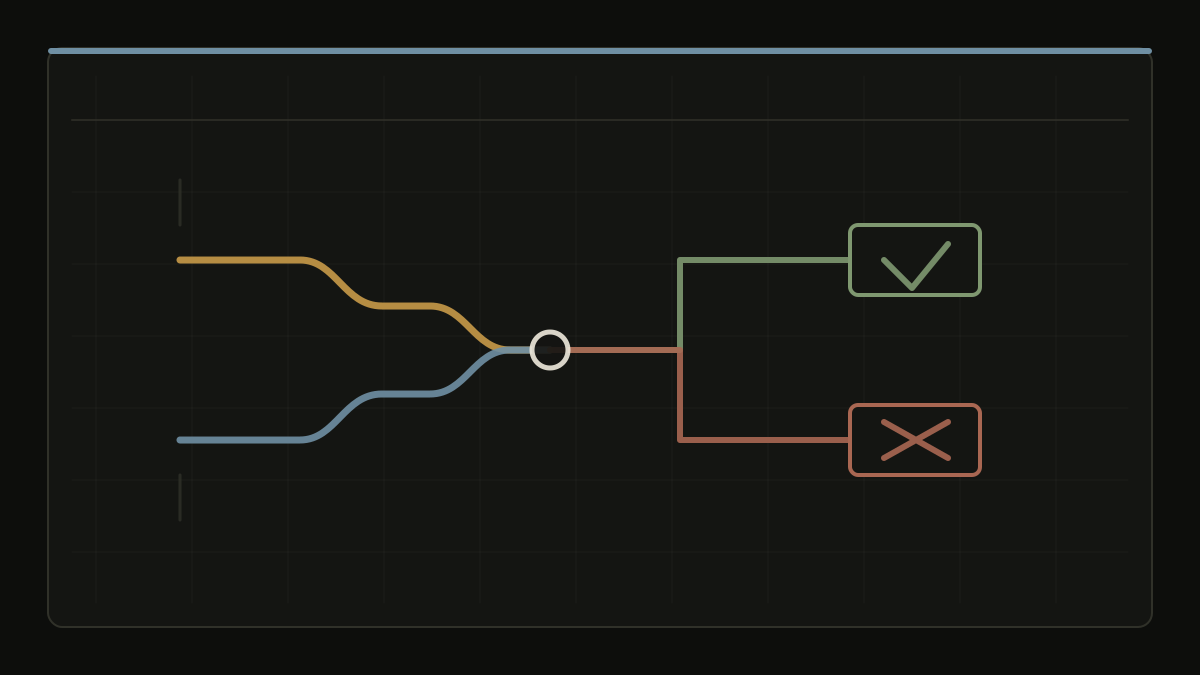
Git hooks are stored in the .git/hooks/ directory of every Git repository. When you initialize a new repository with git init, Git populates this directory with sample hook scripts that have a .sample extension.
#Hook Execution Flow
- A Git operation is initiated (e.g.,
git commit)
- Git checks for the corresponding hook script
- If the hook exists and is executable, Git runs it
- The hook can either allow the operation to continue or abort it
- The Git operation completes (or is aborted based on hook result)
#Return Codes
- 0: Success - Git operation continues
- Non-zero: Failure - Git operation is aborted
#Hook Environment and Variables
Git hooks run in a specific environment with access to various Git-related information through environment variables and command-line arguments.
#Environment Variables Available to Hooks
#Standard Git Environment Variables
GIT_DIR: Path to the .git directoryGIT_WORK_TREE: Path to the working directoryGIT_INDEX_FILE: Path to the index fileGIT_OBJECT_DIRECTORY: Path to the objects directoryGIT_AUTHOR_NAME: Author name for commitsGIT_AUTHOR_EMAIL: Author email for commitsGIT_AUTHOR_DATE: Author date for commitsGIT_COMMITTER_NAME: Committer nameGIT_COMMITTER_EMAIL: Committer emailGIT_COMMITTER_DATE: Committer date
#Hook-Specific Variables
Different hooks receive different sets of environment variables:
For pre-receive and post-receive hooks:
GIT_PUSH_OPTION_*: Push options passed with --push-optionGIT_QUARANTINE_PATH: Temporary object storage path
For post-update hook:
GIT_DIR: Always set to the repository path
#Command Line Arguments
#pre-commit Hook
- Arguments: None
- stdin: Not used
- Purpose: Validate staged changes
#prepare-commit-msg Hook
- Arguments:
- Path to commit message file
- Source of commit message (
message, template, merge, squash, commit)
- Commit SHA (for amend/commit)
- Example:
prepare-commit-msg .git/COMMIT_EDITMSG message
#commit-msg Hook
- Arguments: Path to commit message file
- Example:
commit-msg .git/COMMIT_EDITMSG
#post-commit Hook
- Arguments: None
- stdin: Not used
#pre-push Hook
- Arguments:
- Remote name
- Remote URL
- stdin: List of refs being pushed
- Format:
<local-ref> <local-sha> <remote-ref> <remote-sha>
#pre-receive Hook
- Arguments: None
- stdin: List of refs being updated
- Format:
<old-sha> <new-sha> <ref-name>
#update Hook
- Arguments:
- Reference name
- Old SHA
- New SHA
- Example:
update refs/heads/main abc123 def456
#post-receive Hook
- Arguments: None
- stdin: List of updated refs (same format as pre-receive)
#post-update Hook
- Arguments: List of updated reference names
- Example:
post-update refs/heads/main refs/heads/develop
#!/bin/bash
# Get current branch
current_branch=$(git rev-parse --abbrev-ref HEAD)

# Get repository root
repo_root=$(git rev-parse --show-toplevel)

# Get commit hash
commit_hash=$(git rev-parse HEAD)

# Get author information
author_name=$(git config user.name)
author_email=$(git config user.email)
#!/bin/bash
# In commit-msg hook
commit_message=$(cat "$1")

# In post-commit hook
commit_hash=$(git rev-parse HEAD)
commit_message=$(git log -1 --pretty=%B)
author=$(git log -1 --pretty=%an)
files_changed=$(git diff-tree --no-commit-id --name-only -r HEAD)
#!/bin/bash
# In pre-receive or post-receive hook
while read oldrev newrev refname; do
    branch=$(git rev-parse --symbolic --abbrev-ref $refname)

    if [ "$oldrev" = "0000000000000000000000000000000000000000" ]; then
        # New branch
        echo "New branch: $branch"
    elif [ "$newrev" = "0000000000000000000000000000000000000000" ]; then
        # Deleted branch
        echo "Deleted branch: $branch"
    else
        # Updated branch
        echo "Updated branch: $branch from $oldrev to $newrev"

        # Get list of new commits
        new_commits=$(git rev-list $oldrev..$newrev)
        echo "New commits: $new_commits"
    fi
done
#Hook Context and Timing
#Understanding Hook Execution Context
- Working Directory: Hooks run in the repository's working directory
- User Context: Hooks run as the user who triggered the Git operation
- Environment: Inherits the user's environment variables
- Permissions: Subject to file system permissions
- Network Access: Can make network requests (use with caution)
#Timing Considerations
- Pre-hooks: Must complete before Git operation proceeds
- Post-hooks: Run after Git operation is complete
- Concurrent Access: Multiple hooks might run simultaneously
- Lock Files: Git may hold locks during hook execution
- Performance Impact: Slow hooks delay Git operations
#Client-Side Hooks
Client-side hooks run on the developer's local machine and are useful for enforcing local development practices.
#Pre-Commit Hooks
#pre-commit
- When: Before a commit is created
- Purpose: Validate code quality, run tests, check formatting
- Can abort: Yes (non-zero exit code prevents commit)
Example Use Cases:
- Code linting and formatting
- Running unit tests
- Checking for debugging statements
- Validating commit message format
#prepare-commit-msg
- When: After the default commit message is created but before the editor is opened
- Purpose: Modify or add to the default commit message
- Can abort: Yes
Example Use Cases:
- Adding branch name to commit message
- Including ticket numbers
- Adding commit templates
#commit-msg
- When: After the user enters a commit message
- Purpose: Validate commit message format and content
- Can abort: Yes
Example Use Cases:
- Enforcing commit message conventions
- Checking for required keywords
- Validating ticket number format
#Post-Commit Hooks
#post-commit
- When: After a commit is created
- Purpose: Perform actions after successful commit
- Can abort: No (commit already completed)
Example Use Cases:
- Sending notifications
- Triggering CI/CD pipelines
- Updating documentation
- Creating backups
#pre-push
- When: Before pushing to a remote repository
- Purpose: Validate changes before they reach the remote
- Can abort: Yes
Example Use Cases:
- Running comprehensive test suites
- Checking for large files
- Validating branch protection rules
- Security scanning
#Rebase and Merge Hooks
#pre-rebase
- When: Before a rebase operation
- Purpose: Prevent problematic rebases
- Can abort: Yes
#post-rewrite
- When: After commands that rewrite commits (rebase, amend)
- Purpose: Update references or perform cleanup
- Can abort: No
#Server-Side Hooks
Server-side hooks run on the Git server and are useful for enforcing repository-wide policies.
#pre-receive
- When: Before any references are updated during a push
- Purpose: Validate entire push operation
- Can abort: Yes (rejects entire push)
Example Use Cases:
- Enforcing branch protection
- Validating all commits in push
- Checking permissions
- Running security scans
#update
- When: Once for each branch being updated during a push
- Purpose: Validate individual branch updates
- Can abort: Yes (can reject specific branches)
Example Use Cases:
- Branch-specific validation rules
- Checking fast-forward requirements
- Validating branch naming conventions
#post-receive
- When: After all references are updated during a push
- Purpose: Perform actions after successful push
- Can abort: No (push already completed)
Example Use Cases:
- Triggering CI/CD pipelines
- Sending notifications
- Updating issue trackers
- Deploying applications
#post-update
- When: After all references are updated (similar to post-receive)
- Purpose: Perform cleanup or notification tasks
- Can abort: No
#Setting Up Git Hooks
#1. Navigate to Hooks Directory
cd /path/to/your/repo/.git/hooks/
#2. Create Hook Script
Create a new file with the hook name (without .sample extension):
# Create pre-commit hook
touch pre-commit
chmod +x pre-commit
#3. Write Hook Script
Edit the hook file with your preferred editor:
#!/bin/bash
# Your hook logic here
echo "Running pre-commit hook..."
#4. Make Executable
Ensure the hook script is executable:
#5. Test the Hook
Trigger the Git operation to test your hook:
git commit -m "Test commit"
#Common Use Cases
#1. Code Quality Enforcement
- Linting: Run ESLint, Pylint, or other linters
- Formatting: Enforce code formatting with Prettier, Black
- Style: Check coding style compliance
#2. Testing Automation
- Unit Tests: Run test suites before commits
- Integration Tests: Execute before pushes
- Performance Tests: Validate performance metrics
#3. Security Validation
- Secret Scanning: Check for exposed secrets or keys
- Vulnerability Scanning: Run security analysis tools
- Dependency Checking: Validate third-party libraries
#4. Process Integration
- Issue Tracking: Update JIRA, GitHub Issues
- CI/CD: Trigger build and deployment pipelines
- Notifications: Send Slack, email notifications
#5. Documentation
- Auto-generation: Update API docs, README files
- Change Logs: Maintain CHANGELOG.md files
- Version Bumping: Update version numbers
#Industry-Specific Use Cases
Git hooks can be tailored to meet the specific requirements of different industries and domains. Here are detailed use cases for various sectors:
#Financial Services and FinTech
Financial institutions have strict regulatory requirements and security standards that Git hooks can help enforce.
#Compliance and Regulatory Requirements
#!/bin/bash
# SOX Compliance Hook - Ensures all changes are traceable

# Check for required fields in commit message
if ! grep -q "JIRA-[0-9]\+" "$1"; then
    echo "❌ SOX Compliance: Commit must reference a JIRA ticket"
    exit 1
fi

# Verify code review approval
if ! git log -1 --pretty=%B | grep -q "Reviewed-by:"; then
    echo "❌ SOX Compliance: All changes must be peer reviewed"
    exit 1
fi

# Log for audit trail
echo "$(date): Commit $(git rev-parse HEAD) approved for SOX compliance" >> /var/log/git-audit.log
#PCI DSS Compliance
#!/bin/bash
# Check for potential credit card data exposure

# Scan for credit card patterns
if git diff --cached | grep -E "[0-9]{4}[[:space:]-]?[0-9]{4}[[:space:]-]?[0-9]{4}[[:space:]-]?[0-9]{4}"; then
    echo "❌ PCI DSS Violation: Potential credit card number detected"
    echo "Please remove sensitive data before committing"
    exit 1
fi

# Check for PCI-related keywords
if git diff --cached | grep -iE "(credit|card|cvv|cvn|expiry|cardholder)"; then
    echo "⚠️  Warning: Payment-related keywords detected. Please verify no sensitive data is included."
fi
#Healthcare and Life Sciences
Healthcare organizations must comply with HIPAA, FDA regulations, and other medical standards.
#HIPAA Compliance Hook
#!/bin/bash
# HIPAA Compliance validation

# Check for PHI (Protected Health Information) patterns
phi_patterns=(
    "[0-9]{3}-[0-9]{2}-[0-9]{4}"  # SSN
    "DOB:.*[0-9]{1,2}/[0-9]{1,2}/[0-9]{4}"  # Date of Birth
    "patient.*id.*[0-9]+"  # Patient ID patterns
)

for pattern in "${phi_patterns[@]}"; do
    if git diff --cached | grep -iE "$pattern"; then
        echo "❌ HIPAA Violation: Potential PHI detected - $pattern"
        echo "Please remove protected health information before committing"
        exit 1
    fi
done

# Require encryption for certain file types
if git diff --cached --name-only | grep -E "\.(csv|xlsx|json)$"; then
    echo "⚠️  Warning: Data files detected. Ensure they are properly encrypted and anonymized."
fi
#FDA 21 CFR Part 11 Compliance
#!/usr/bin/env python3
# FDA 21 CFR Part 11 Electronic Records compliance

import hashlib
import json
from datetime import datetime
import subprocess

def create_audit_record(commit_hash, author, timestamp):
    """Create an immutable audit record for FDA compliance."""

    record = {
        "commit": commit_hash,
        "author": author,
        "timestamp": timestamp,
        "validation_status": "pending",
        "digital_signature": None
    }

    # Create digital signature (simplified example)
    record_str = json.dumps(record, sort_keys=True)
    signature = hashlib.sha256(record_str.encode()).hexdigest()
    record["digital_signature"] = signature

    # Store in compliance database
    with open("/var/log/fda-compliance.jsonl", "a") as f:
        f.write(json.dumps(record) + "\n")

    return signature

def validate_commit():
    """Validate commit meets FDA requirements."""

    # Get commit information
    commit_hash = subprocess.check_output(["git", "rev-parse", "HEAD"]).decode().strip()
    author = subprocess.check_output(["git", "log", "-1", "--pretty=%an"]).decode().strip()
    timestamp = datetime.now().isoformat()

    # Create audit record
    signature = create_audit_record(commit_hash, author, timestamp)

    print(f"✅ FDA Compliance: Audit record created with signature {signature[:16]}...")

    return True

if __name__ == "__main__":
    if not validate_commit():
        exit(1)
#Aerospace and Defense
Aerospace and defense organizations require stringent security and traceability measures.
#ITAR (International Traffic in Arms Regulations) Compliance
#!/bin/bash
# ITAR Compliance check for aerospace/defense projects

# Check for ITAR-controlled technology keywords
itar_keywords=(
    "encryption"
    "cryptographic"
    "military"
    "defense"
    "classified"
    "restricted"
    "proprietary"
)

for keyword in "${itar_keywords[@]}"; do
    if git diff --cached | grep -i "$keyword"; then
        echo "🔒 ITAR Alert: Keyword '$keyword' detected"
        echo "Please verify this content is authorized for export"

        # Require additional approval for ITAR-sensitive content
        read -p "Do you have ITAR approval for this content? (yes/no): " approval
        if [[ "$approval" != "yes" ]]; then
            echo "❌ ITAR Compliance: Commit rejected without proper authorization"
            exit 1
        fi
    fi
done

# Log for export control audit
echo "$(date): ITAR review completed for commit $(git rev-parse --short HEAD)" >> /var/log/itar-audit.log
#Automotive Industry
Automotive software development requires compliance with functional safety standards.
#ISO 26262 Functional Safety Compliance
#!/bin/bash
# ISO 26262 Automotive Safety Integrity Level (ASIL) compliance

# Check ASIL level declaration in code
if ! git diff --cached | grep -q "ASIL_[A-D]"; then
    echo "❌ ISO 26262: Safety-critical code must declare ASIL level"
    echo "Add ASIL_A, ASIL_B, ASIL_C, or ASIL_D declaration"
    exit 1
fi

# Require safety review for ASIL C/D code
if git diff --cached | grep -q "ASIL_[CD]"; then
    if ! git log -1 --pretty=%B | grep -q "Safety-Review:"; then
        echo "❌ ISO 26262: ASIL C/D code requires safety review approval"
        echo "Add 'Safety-Review: <reviewer-name>' to commit message"
        exit 1
    fi
fi

# Run safety-critical code analysis
echo "Running MISRA C analysis for automotive safety..."
if ! misra-check $(git diff --cached --name-only | grep '\.c$'); then
    echo "❌ ISO 26262: MISRA C violations detected"
    exit 1
fi
#Gaming and Entertainment
Gaming companies focus on performance, content validation, and anti-cheat measures.
#Game Content Validation
#!/usr/bin/env python3
# Game content validation hook

import re
import subprocess

def check_asset_sizes():
    """Validate game asset file sizes."""
    large_files = []

    # Get list of changed files
    result = subprocess.run(
        ["git", "diff", "--cached", "--name-only"],
        capture_output=True, text=True
    )

    for file in result.stdout.strip().split('\n'):
        if file.endswith(('.png', '.jpg', '.mp3', '.wav', '.fbx', '.obj')):
            try:
                size = os.path.getsize(file)
                if size > 50 * 1024 * 1024:  # 50MB limit
                    large_files.append((file, size))
            except FileNotFoundError:
                continue

    if large_files:
        print("❌ Large asset files detected:")
        for file, size in large_files:
            print(f"  {file}: {size / (1024*1024):.1f} MB")
        print("Please optimize assets or use Git LFS")
        return False

    return True

def validate_content_rating():
    """Check for content that might affect game rating."""
    offensive_patterns = [
        r'\b(violence|blood|gore)\b',
        r'\b(profanity|curse|swear)\b',
        r'\b(sexual|nudity|adult)\b'
    ]

    result = subprocess.run(
        ["git", "diff", "--cached"],
        capture_output=True, text=True
    )

    for pattern in offensive_patterns:
        if re.search(pattern, result.stdout, re.IGNORECASE):
            print(f"⚠️  Content Warning: Pattern '{pattern}' detected")
            print("Please review for content rating implications")
            return True

    return True

if __name__ == "__main__":
    success = True

    if not check_asset_sizes():
        success = False

    validate_content_rating()

    if not success:
        exit(1)
#Energy and Utilities (Relevant to MEKANET)
Energy sector software must comply with grid reliability standards and safety regulations.
#NERC CIP (Critical Infrastructure Protection) Compliance
#!/bin/bash
# NERC CIP compliance for energy sector critical infrastructure

# Check for cyber security controls
if git diff --cached --name-only | grep -E "(scada|hmi|control|plc)" > /dev/null; then
    echo "🔒 NERC CIP: Critical infrastructure code detected"

    # Require cyber security review
    if ! git log -1 --pretty=%B | grep -q "CyberSec-Review:"; then
        echo "❌ NERC CIP: Critical infrastructure changes require cyber security review"
        echo "Add 'CyberSec-Review: <reviewer-name>' to commit message"
        exit 1
    fi

    # Check for hardcoded credentials
    if git diff --cached | grep -iE "(password|secret|key|token)" | grep -v "//"; then
        echo "❌ NERC CIP: No hardcoded credentials allowed in critical infrastructure code"
        exit 1
    fi
fi

# Log for compliance audit
echo "$(date): NERC CIP review completed for commit $(git rev-parse --short HEAD)" >> /var/log/nerc-audit.log
#IEC 61850 Smart Grid Compliance
#!/usr/bin/env python3
# IEC 61850 smart grid protocol compliance validation

import xml.etree.ElementTree as ET
import subprocess
import re

def validate_iec61850_config():
    """Validate IEC 61850 configuration files."""

    # Get changed .scd or .icd files (IEC 61850 configuration)
    result = subprocess.run(
        ["git", "diff", "--cached", "--name-only"],
        capture_output=True, text=True
    )

    config_files = [f for f in result.stdout.strip().split('\n')
                   if f.endswith(('.scd', '.icd', '.cid'))]

    for config_file in config_files:
        try:
            tree = ET.parse(config_file)
            root = tree.getroot()

            # Check for required IEC 61850 elements
            if root.tag != "SCL":
                print(f"❌ IEC 61850: Invalid root element in {config_file}")
                return False

            # Validate IED (Intelligent Electronic Device) definitions
            ieds = root.findall(".//IED")
            if not ieds:
                print(f"⚠️  Warning: No IED definitions found in {config_file}")

            for ied in ieds:
                if not ied.get("name"):
                    print(f"❌ IEC 61850: IED missing name attribute in {config_file}")
                    return False

            print(f"✅ IEC 61850: {config_file} validation passed")

        except ET.ParseError as e:
            print(f"❌ IEC 61850: XML parsing error in {config_file}: {e}")
            return False
        except FileNotFoundError:
            continue

    return True

def check_modbus_mapping():
    """Validate Modbus register mappings for energy systems."""

    result = subprocess.run(
        ["git", "diff", "--cached"],
        capture_output=True, text=True
    )

    # Check for Modbus register conflicts
    register_pattern = r'modbus_register\s*=\s*(\d+)'
    registers = re.findall(register_pattern, result.stdout, re.IGNORECASE)

    if len(registers) != len(set(registers)):
        duplicates = [r for r in set(registers) if registers.count(r) > 1]
        print(f"❌ Modbus: Duplicate register assignments detected: {duplicates}")
        return False

    return True

if __name__ == "__main__":
    success = True

    if not validate_iec61850_config():
        success = False

    if not check_modbus_mapping():
        success = False

    if not success:
        exit(1)

    print("✅ Energy sector compliance validation passed")
#E-commerce and Retail
E-commerce platforms require robust performance and security validations.
#!/bin/bash
# E-commerce performance validation

# Check for database query performance
if git diff --cached | grep -E "(SELECT|UPDATE|DELETE|INSERT)" > /dev/null; then
    echo "🔍 Database query changes detected. Running performance analysis..."

    # Check for missing indexes
    if git diff --cached | grep "SELECT" | grep -v "WHERE.*INDEX"; then
        echo "⚠️  Warning: SQL queries without explicit index usage detected"
        echo "Please verify query performance"
    fi

    # Check for N+1 query patterns
    if git diff --cached | grep -E "for.*in.*:.*query|forEach.*query"; then
        echo "❌ Potential N+1 query pattern detected"
        echo "This could cause performance issues with large datasets"
        exit 1
    fi
fi

# Validate caching strategies
if git diff --cached --name-only | grep -E "(controller|service)" > /dev/null; then
    if ! git diff --cached | grep -E "(cache|redis|memcached)"; then
        echo "⚠️  Warning: Controller/Service changes without caching consideration"
    fi
fi
#Legal and Compliance
Legal tech requires document integrity and audit trails.
#Document Integrity and Version Control
#!/usr/bin/env python3
# Legal document integrity validation

import hashlib
import json
from datetime import datetime

def create_document_fingerprint(file_path):
    """Create cryptographic fingerprint for legal documents."""
    try:
        with open(file_path, 'rb') as f:
            content = f.read()
            fingerprint = hashlib.sha256(content).hexdigest()
        return fingerprint
    except FileNotFoundError:
        return None

def validate_legal_documents():
    """Validate legal document changes."""

    # Get changed document files
    result = subprocess.run(
        ["git", "diff", "--cached", "--name-only"],
        capture_output=True, text=True
    )

    legal_extensions = ['.docx', '.pdf', '.md', '.txt']
    legal_files = [f for f in result.stdout.strip().split('\n')
                  if any(f.endswith(ext) for ext in legal_extensions)]

    for file_path in legal_files:
        if 'legal' in file_path.lower() or 'contract' in file_path.lower():
            fingerprint = create_document_fingerprint(file_path)

            # Create audit record
            audit_record = {
                "file": file_path,
                "timestamp": datetime.now().isoformat(),
                "fingerprint": fingerprint,
                "author": subprocess.check_output(["git", "config", "user.name"]).decode().strip(),
                "commit": subprocess.check_output(["git", "rev-parse", "HEAD"]).decode().strip()
            }

            # Store audit record
            with open("/var/log/legal-audit.jsonl", "a") as audit_file:
                audit_file.write(json.dumps(audit_record) + "\n")

            print(f"✅ Legal audit record created for {file_path}")

    return True

if __name__ == "__main__":
    validate_legal_documents()
#Best Practices
#1. Keep Hooks Fast
- Minimize execution time to avoid slowing down development
- Use parallel execution when possible
- Consider async operations for non-critical tasks
#2. Provide Clear Feedback
- Output clear, actionable error messages
- Use colors and formatting for better readability
- Include instructions for fixing issues
#3. Make Hooks Configurable
- Allow developers to skip hooks when necessary
- Provide configuration options
- Support different environments (dev, staging, prod)
#4. Version Control Hooks
- Store hooks in the repository (not just
.git/hooks/)
- Use hook management tools like
pre-commit
- Document hook requirements and setup
#5. Error Handling
- Implement proper error handling
- Gracefully handle edge cases
- Provide fallback mechanisms
#6. Testing Hooks
- Test hooks thoroughly before deployment
- Include unit tests for hook logic
- Test with different scenarios and edge cases
Git hooks can significantly impact development workflow speed. Proper optimization ensures that hooks enhance rather than hinder productivity.
#!/bin/bash
# Performance monitoring wrapper for hooks

HOOK_START_TIME=$(date +%s.%N)
HOOK_NAME="pre-commit"

# Your hook logic here
# ... existing hook code ...

HOOK_END_TIME=$(date +%s.%N)
EXECUTION_TIME=$(echo "$HOOK_END_TIME - $HOOK_START_TIME" | bc)

# Log performance metrics
echo "$(date): $HOOK_NAME executed in ${EXECUTION_TIME}s" >> /var/log/hook-performance.log

# Alert if hook takes too long
THRESHOLD=5.0
if (( $(echo "$EXECUTION_TIME > $THRESHOLD" | bc -l) )); then
    echo "⚠️  Warning: $HOOK_NAME took ${EXECUTION_TIME}s (threshold: ${THRESHOLD}s)"
fi
#!/usr/bin/env python3
# Hook performance benchmarking tool

import time
import statistics
import subprocess
import json
from datetime import datetime

class HookBenchmark:
    def __init__(self, hook_name, iterations=10):
        self.hook_name = hook_name
        self.iterations = iterations
        self.results = []

    def run_benchmark(self):
        """Run hook multiple times and collect performance data."""

        for i in range(self.iterations):
            start_time = time.time()

            # Run the hook
            result = subprocess.run(
                [f".git/hooks/{self.hook_name}"],
                capture_output=True,
                text=True
            )

            end_time = time.time()
            execution_time = end_time - start_time

            self.results.append({
                'iteration': i + 1,
                'execution_time': execution_time,
                'success': result.returncode == 0,
                'stdout_length': len(result.stdout),
                'stderr_length': len(result.stderr)
            })

        return self.analyze_results()

    def analyze_results(self):
        """Analyze benchmark results and provide insights."""

        execution_times = [r['execution_time'] for r in self.results]

        analysis = {
            'hook_name': self.hook_name,
            'iterations': self.iterations,
            'timestamp': datetime.now().isoformat(),
            'min_time': min(execution_times),
            'max_time': max(execution_times),
            'avg_time': statistics.mean(execution_times),
            'median_time': statistics.median(execution_times),
            'std_dev': statistics.stdev(execution_times) if len(execution_times) > 1 else 0,
            'success_rate': sum(1 for r in self.results if r['success']) / len(self.results)
        }

        # Performance recommendations
        recommendations = []
        if analysis['avg_time'] > 5.0:
            recommendations.append("Hook is slow (>5s). Consider optimization.")
        if analysis['std_dev'] > 1.0:
            recommendations.append("High variability in execution time. Investigate cause.")
        if analysis['success_rate'] < 1.0:
            recommendations.append(f"Hook fails {(1-analysis['success_rate'])*100:.1f}% of the time.")

        analysis['recommendations'] = recommendations

        return analysis

# Example usage
if __name__ == "__main__":
    benchmark = HookBenchmark("pre-commit", iterations=5)
    results = benchmark.run_benchmark()
    print(json.dumps(results, indent=2))
#Optimization Strategies
#1. Parallel Execution
#!/bin/bash
# Parallel execution example for pre-commit hook

echo "Running parallel checks..."

# Run checks in parallel
(
    echo "Linting JavaScript..."
    npx eslint src/**/*.js
) &
eslint_pid=$!

(
    echo "Running tests..."
    npm test
) &
test_pid=$!

(
    echo "Checking formatting..."
    npx prettier --check .
) &
prettier_pid=$!

# Wait for all processes and collect results
wait $eslint_pid
eslint_result=$?

wait $test_pid
test_result=$?

wait $prettier_pid
prettier_result=$?

# Check if any failed
if [ $eslint_result -ne 0 ] || [ $test_result -ne 0 ] || [ $prettier_result -ne 0 ]; then
    echo "❌ One or more checks failed"
    exit 1
fi

echo "✅ All parallel checks passed"
#2. Incremental Checks
#!/bin/bash
# Only check changed files for better performance

# Get list of staged files
staged_files=$(git diff --cached --name-only --diff-filter=ACM)

# Filter by file type and run appropriate checks
js_files=$(echo "$staged_files" | grep '\.js$' || true)
py_files=$(echo "$staged_files" | grep '\.py$' || true)
css_files=$(echo "$staged_files" | grep '\.css$' || true)

# Only run linters on relevant files
if [ ! -z "$js_files" ]; then
    echo "Linting JavaScript files: $js_files"
    npx eslint $js_files
fi

if [ ! -z "$py_files" ]; then
    echo "Linting Python files: $py_files"
    flake8 $py_files
fi

if [ ! -z "$css_files" ]; then
    echo "Linting CSS files: $css_files"
    stylelint $css_files
fi
#3. Caching Results
#!/usr/bin/env python3
# Caching hook results to avoid redundant work

import hashlib
import os
import json
import subprocess
from pathlib import Path

class HookCache:
    def __init__(self, cache_dir=".git/hooks-cache"):
        self.cache_dir = Path(cache_dir)
        self.cache_dir.mkdir(exist_ok=True)

    def get_file_hash(self, file_path):
        """Calculate hash of file content."""
        try:
            with open(file_path, 'rb') as f:
                return hashlib.md5(f.read()).hexdigest()
        except FileNotFoundError:
            return None

    def get_cache_key(self, files, check_type):
        """Generate cache key based on files and check type."""
        file_hashes = []
        for file_path in files:
            file_hash = self.get_file_hash(file_path)
            if file_hash:
                file_hashes.append(f"{file_path}:{file_hash}")

        combined = f"{check_type}:{':'.join(sorted(file_hashes))}"
        return hashlib.md5(combined.encode()).hexdigest()

    def get_cached_result(self, cache_key):
        """Get cached result if available."""
        cache_file = self.cache_dir / f"{cache_key}.json"

        if cache_file.exists():
            try:
                with open(cache_file, 'r') as f:
                    return json.load(f)
            except (json.JSONDecodeError, IOError):
                return None
        return None

    def cache_result(self, cache_key, result):
        """Cache the result for future use."""
        cache_file = self.cache_dir / f"{cache_key}.json"

        try:
            with open(cache_file, 'w') as f:
                json.dump(result, f)
        except IOError:
            pass  # Silently fail caching

    def run_with_cache(self, files, check_type, command):
        """Run command with caching."""
        cache_key = self.get_cache_key(files, check_type)

        # Check cache first
        cached_result = self.get_cached_result(cache_key)
        if cached_result:
            print(f"✅ {check_type}: Using cached result")
            return cached_result['success']

        # Run the command
        print(f"🔍 {check_type}: Running check...")
        result = subprocess.run(command, shell=True, capture_output=True, text=True)

        # Cache the result
        cache_data = {
            'success': result.returncode == 0,
            'stdout': result.stdout,
            'stderr': result.stderr
        }
        self.cache_result(cache_key, cache_data)

        if not cache_data['success']:
            print(cache_data['stderr'])

        return cache_data['success']

# Example usage
def main():
    cache = HookCache()

    # Get staged files
    result = subprocess.run(
        ["git", "diff", "--cached", "--name-only"],
        capture_output=True, text=True
    )

    staged_files = result.stdout.strip().split('\n')
    js_files = [f for f in staged_files if f.endswith('.js')]

    if js_files:
        success = cache.run_with_cache(
            js_files,
            "eslint",
            f"npx eslint {' '.join(js_files)}"
        )

        if not success:
            exit(1)

if __name__ == "__main__":
    main()
#4. Conditional Execution
#!/bin/bash
# Conditional execution based on branch, time, or other factors

CURRENT_BRANCH=$(git rev-parse --abbrev-ref HEAD)
CURRENT_HOUR=$(date +%H)

# Skip expensive checks on feature branches during working hours
if [[ "$CURRENT_BRANCH" == feature/* ]] && [[ $CURRENT_HOUR -ge 9 ]] && [[ $CURRENT_HOUR -le 17 ]]; then
    echo "ℹ️  Skipping expensive checks on feature branch during working hours"
    echo "Run 'git commit --no-verify' to bypass, or commit outside 9-17h for full checks"

    # Run only fast checks
    npx eslint --max-warnings 0 $(git diff --cached --name-only | grep '\.js$')
    exit $?
fi

# Run full checks for main branch or outside working hours
echo "Running full validation suite..."
npm run test:all
npm run lint:all
npm run security:scan
#!/usr/bin/env python3
# Performance monitoring dashboard for Git hooks

import json
import sqlite3
from datetime import datetime, timedelta
import matplotlib.pyplot as plt
from pathlib import Path

class HookMonitor:
    def __init__(self, db_path=".git/hooks-performance.db"):
        self.db_path = db_path
        self.init_database()

    def init_database(self):
        """Initialize performance monitoring database."""
        conn = sqlite3.connect(self.db_path)
        cursor = conn.cursor()

        cursor.execute('''
            CREATE TABLE IF NOT EXISTS hook_performance (
                id INTEGER PRIMARY KEY AUTOINCREMENT,
                hook_name TEXT NOT NULL,
                execution_time REAL NOT NULL,
                timestamp DATETIME NOT NULL,
                success BOOLEAN NOT NULL,
                file_count INTEGER,
                repository_size INTEGER
            )
        ''')

        conn.commit()
        conn.close()

    def log_performance(self, hook_name, execution_time, success, file_count=0):
        """Log hook performance data."""
        conn = sqlite3.connect(self.db_path)
        cursor = conn.cursor()

        cursor.execute('''
            INSERT INTO hook_performance
            (hook_name, execution_time, timestamp, success, file_count)
            VALUES (?, ?, ?, ?, ?)
        ''', (hook_name, execution_time, datetime.now(), success, file_count))

        conn.commit()
        conn.close()

    def generate_performance_report(self, days=30):
        """Generate performance report for the last N days."""
        conn = sqlite3.connect(self.db_path)
        cursor = conn.cursor()

        since_date = datetime.now() - timedelta(days=days)

        cursor.execute('''
            SELECT hook_name,
                   AVG(execution_time) as avg_time,
                   MAX(execution_time) as max_time,
                   MIN(execution_time) as min_time,
                   COUNT(*) as executions,
                   SUM(CASE WHEN success THEN 1 ELSE 0 END) * 100.0 / COUNT(*) as success_rate
            FROM hook_performance
            WHERE timestamp > ?
            GROUP BY hook_name
            ORDER BY avg_time DESC
        ''', (since_date,))

        results = cursor.fetchall()
        conn.close()

        print(f"Hook Performance Report (Last {days} days)")
        print("=" * 60)
        print(f"{'Hook Name':<20} {'Avg Time':<10} {'Max Time':<10} {'Executions':<12} {'Success Rate':<12}")
        print("-" * 60)

        for row in results:
            hook_name, avg_time, max_time, min_time, executions, success_rate = row
            print(f"{hook_name:<20} {avg_time:<10.2f} {max_time:<10.2f} {executions:<12} {success_rate:<12.1f}%")

        return results

    def plot_performance_trends(self, hook_name=None, days=30):
        """Plot performance trends over time."""
        conn = sqlite3.connect(self.db_path)

        since_date = datetime.now() - timedelta(days=days)

        if hook_name:
            query = '''
                SELECT timestamp, execution_time
                FROM hook_performance
                WHERE hook_name = ? AND timestamp > ?
                ORDER BY timestamp
            '''
            params = (hook_name, since_date)
        else:
            query = '''
                SELECT timestamp, execution_time
                FROM hook_performance
                WHERE timestamp > ?
                ORDER BY timestamp
            '''
            params = (since_date,)

        cursor = conn.cursor()
        cursor.execute(query, params)
        results = cursor.fetchall()
        conn.close()

        if not results:
            print("No performance data available")
            return

        timestamps = [datetime.fromisoformat(row[0]) for row in results]
        execution_times = [row[1] for row in results]

        plt.figure(figsize=(12, 6))
        plt.plot(timestamps, execution_times, 'b-', alpha=0.7)
        plt.title(f"Hook Performance Trend - {hook_name or 'All Hooks'}")
        plt.xlabel("Time")
        plt.ylabel("Execution Time (seconds)")
        plt.grid(True, alpha=0.3)
        plt.xticks(rotation=45)
        plt.tight_layout()
        plt.show()

# Example hook wrapper with monitoring
def monitored_hook_wrapper(hook_name, hook_function):
    """Wrapper to monitor any hook function."""
    monitor = HookMonitor()

    start_time = time.time()
    success = True

    try:
        hook_function()
    except SystemExit as e:
        success = e.code == 0
    except Exception:
        success = False

    execution_time = time.time() - start_time
    monitor.log_performance(hook_name, execution_time, success)

    if not success:
        exit(1)

# Usage example
if __name__ == "__main__":
    monitor = HookMonitor()

    # Generate report
    monitor.generate_performance_report(days=7)

    # Plot trends
    monitor.plot_performance_trends("pre-commit", days=7)
#Resource Usage Optimization
#Memory Management
#!/bin/bash
# Memory-efficient hook execution

# Set memory limits for hook processes
ulimit -v 1048576  # 1GB virtual memory limit

# Monitor memory usage
memory_usage() {
    ps -o pid,vsz,rss,comm -p $$ | tail -1
}

echo "Hook started: $(memory_usage)"

# Your hook logic here with memory awareness
if [ -f package.json ]; then
    # Use --max-old-space-size to limit Node.js memory
    node --max-old-space-size=512 $(which eslint) src/
fi

echo "Hook finished: $(memory_usage)"
#Disk I/O Optimization
#!/usr/bin/env python3
# Optimize disk I/O in hooks

import os
import mmap
import subprocess
from pathlib import Path

def efficient_file_processing(file_paths):
    """Process files efficiently using memory mapping."""

    for file_path in file_paths:
        try:
            with open(file_path, 'r+b') as f:
                # Use memory mapping for large files
                if os.path.getsize(file_path) > 1024 * 1024:  # 1MB
                    with mmap.mmap(f.fileno(), 0) as mm:
                        # Process file content from memory
                        content = mm.read().decode('utf-8', errors='ignore')
                        # Your processing logic here
                else:
                    # Read small files normally
                    content = f.read().decode('utf-8', errors='ignore')
                    # Your processing logic here

        except (IOError, OSError):
            continue

def batch_file_operations(file_paths, batch_size=10):
    """Process files in batches to reduce I/O overhead."""

    for i in range(0, len(file_paths), batch_size):
        batch = file_paths[i:i + batch_size]

        # Process batch together
        file_list = ' '.join(batch)
        result = subprocess.run(
            f"grep -l 'pattern' {file_list}",
            shell=True,
            capture_output=True,
            text=True
        )

        # Process results
        for line in result.stdout.strip().split('\n'):
            if line:
                print(f"Pattern found in: {line}")
#Examples
#Example 1: Pre-commit Hook for Code Linting
#!/bin/bash
# .git/hooks/pre-commit

echo "Running pre-commit checks..."

# Run ESLint on staged JavaScript files
staged_js_files=$(git diff --cached --name-only --diff-filter=ACM | grep '\.js$')

if [ ! -z "$staged_js_files" ]; then
    echo "Linting JavaScript files..."
    npx eslint $staged_js_files
    if [ $? -ne 0 ]; then
        echo "❌ ESLint found issues. Please fix them before committing."
        exit 1
    fi
    echo "✅ ESLint passed!"
fi

# Run Prettier formatting check
echo "Checking code formatting..."
npx prettier --check .
if [ $? -ne 0 ]; then
    echo "❌ Code formatting issues found. Run 'npm run format' to fix."
    exit 1
fi
echo "✅ Code formatting is correct!"

echo "✅ All pre-commit checks passed!"
exit 0
#Example 2: Commit Message Validation
#!/bin/bash
# .git/hooks/commit-msg

commit_regex='^(feat|fix|docs|style|refactor|test|chore)(\(.+\))?: .{1,50}'

if ! grep -qE "$commit_regex" "$1"; then
    echo "❌ Invalid commit message format!"
    echo "Format: type(scope): description"
    echo "Types: feat, fix, docs, style, refactor, test, chore"
    echo "Example: feat(auth): add user login functionality"
    exit 1
fi

echo "✅ Commit message format is valid!"
exit 0
#Example 3: Pre-push Testing
#!/bin/bash
# .git/hooks/pre-push

echo "Running pre-push checks..."

# Run test suite
echo "Running tests..."
npm test
if [ $? -ne 0 ]; then
    echo "❌ Tests failed. Push aborted."
    exit 1
fi

# Check for large files
echo "Checking for large files..."
large_files=$(find . -size +50M -not -path "./.git/*")
if [ ! -z "$large_files" ]; then
    echo "❌ Large files detected:"
    echo "$large_files"
    echo "Please remove or add to .gitignore"
    exit 1
fi

echo "✅ All pre-push checks passed!"
exit 0
#Example 4: Post-receive Deployment Hook
#!/bin/bash
# hooks/post-receive (on server)

echo "Post-receive hook triggered..."

# Read the push information
while read oldrev newrev refname; do
    branch=$(git rev-parse --symbolic --abbrev-ref $refname)

    if [ "$branch" = "main" ]; then
        echo "Deploying to production..."

        # Trigger deployment
        cd /var/www/production
        git pull origin main
        npm install --production
        npm run build
        sudo systemctl restart myapp

        echo "✅ Deployment completed!"

        # Send notification
        curl -X POST -H 'Content-type: application/json' \
            --data '{"text":"🚀 New deployment to production completed!"}' \
            $SLACK_WEBHOOK_URL
    fi
done
#Example 5: Python Code Quality Hook
#!/usr/bin/env python3
# .git/hooks/pre-commit

import subprocess
import sys
import os

def run_command(command):
    """Run a command and return its result."""
    try:
        result = subprocess.run(command, shell=True, capture_output=True, text=True)
        return result.returncode == 0, result.stdout, result.stderr
    except Exception as e:
        return False, "", str(e)

def check_python_files():
    """Check Python files for code quality."""
    # Get staged Python files
    success, stdout, stderr = run_command("git diff --cached --name-only --diff-filter=ACM | grep '\.py$'")

    if not stdout.strip():
        print("No Python files to check.")
        return True

    python_files = stdout.strip().split('\n')

    # Run Black formatter check
    print("Checking code formatting with Black...")
    for file in python_files:
        success, _, stderr = run_command(f"black --check {file}")
        if not success:
            print(f"❌ {file} is not properly formatted")
            print("Run 'black .' to fix formatting issues")
            return False

    # Run Flake8 linting
    print("Running Flake8 linting...")
    success, stdout, stderr = run_command(f"flake8 {' '.join(python_files)}")
    if not success:
        print("❌ Flake8 found issues:")
        print(stdout)
        return False

    # Run tests
    print("Running Python tests...")
    success, stdout, stderr = run_command("python -m pytest tests/ -q")
    if not success:
        print("❌ Tests failed:")
        print(stderr)
        return False

    print("✅ All Python checks passed!")
    return True

if __name__ == "__main__":
    if not check_python_files():
        sys.exit(1)
    sys.exit(0)
#Advanced Examples
This section provides sophisticated, production-ready Git hook implementations that demonstrate advanced patterns and integrations.
#Multi-Language Code Quality Enforcement
#!/bin/bash
# Advanced multi-language pre-commit hook with parallel execution

set -e  # Exit on any error

# Configuration
HOOK_CONFIG_FILE=".git/hooks/config.json"
PARALLEL_JOBS=4
TIMEOUT=300  # 5 minutes timeout

# Colors for output
RED='\033[0;31m'
GREEN='\033[0;32m'
YELLOW='\033[1;33m'
BLUE='\033[0;34m'
NC='\033[0m' # No Color

# Logging function
log() {
    echo -e "${BLUE}[$(date +'%Y-%m-%d %H:%M:%S')]${NC} $1"
}

error() {
    echo -e "${RED}[ERROR]${NC} $1" >&2
}

warning() {
    echo -e "${YELLOW}[WARNING]${NC} $1"
}

success() {
    echo -e "${GREEN}[SUCCESS]${NC} $1"
}

# Load configuration
load_config() {
    if [[ -f "$HOOK_CONFIG_FILE" ]]; then
        # Parse JSON configuration
        ENABLE_LINTING=$(jq -r '.linting.enabled // true' "$HOOK_CONFIG_FILE")
        ENABLE_TESTING=$(jq -r '.testing.enabled // true' "$HOOK_CONFIG_FILE")
        ENABLE_SECURITY=$(jq -r '.security.enabled // true' "$HOOK_CONFIG_FILE")
        ENABLE_PERFORMANCE=$(jq -r '.performance.enabled // false' "$HOOK_CONFIG_FILE")

        LINT_TIMEOUT=$(jq -r '.linting.timeout // 60' "$HOOK_CONFIG_FILE")
        TEST_TIMEOUT=$(jq -r '.testing.timeout // 180' "$HOOK_CONFIG_FILE")
    else
        # Default configuration
        ENABLE_LINTING=true
        ENABLE_TESTING=true
        ENABLE_SECURITY=true
        ENABLE_PERFORMANCE=false
        LINT_TIMEOUT=60
        TEST_TIMEOUT=180
    fi
}

# Get staged files by language
get_staged_files() {
    local extension="$1"
    git diff --cached --name-only --diff-filter=ACM | grep -E "\.$extension$" | head -100 || true
}

# JavaScript/TypeScript validation
validate_javascript() {
    local files=$(get_staged_files "js\|ts\|jsx\|tsx")

    if [[ -z "$files" ]]; then
        return 0
    fi

    log "Validating JavaScript/TypeScript files..."

    # ESLint
    if command -v eslint >/dev/null 2>&1; then
        log "Running ESLint..."
        timeout $LINT_TIMEOUT npx eslint $files --max-warnings 0
        if [[ $? -ne 0 ]]; then
            error "ESLint validation failed"
            return 1
        fi
    fi

    # TypeScript compilation check
    if [[ -f "tsconfig.json" ]] && echo "$files" | grep -E "\.(ts|tsx)$" >/dev/null; then
        log "Checking TypeScript compilation..."
        timeout $LINT_TIMEOUT npx tsc --noEmit
        if [[ $? -ne 0 ]]; then
            error "TypeScript compilation check failed"
            return 1
        fi
    fi

    # Prettier formatting check
    if command -v prettier >/dev/null 2>&1; then
        log "Checking code formatting..."
        timeout $LINT_TIMEOUT npx prettier --check $files
        if [[ $? -ne 0 ]]; then
            error "Code formatting check failed. Run 'npm run format' to fix."
            return 1
        fi
    fi

    success "JavaScript/TypeScript validation passed"
    return 0
}

# Python validation
validate_python() {
    local files=$(get_staged_files "py")

    if [[ -z "$files" ]]; then
        return 0
    fi

    log "Validating Python files..."

    # Black formatting check
    if command -v black >/dev/null 2>&1; then
        log "Checking Python formatting with Black..."
        timeout $LINT_TIMEOUT black --check $files
        if [[ $? -ne 0 ]]; then
            error "Black formatting check failed. Run 'black .' to fix."
            return 1
        fi
    fi

    # Flake8 linting
    if command -v flake8 >/dev/null 2>&1; then
        log "Running Flake8 linting..."
        timeout $LINT_TIMEOUT flake8 $files
        if [[ $? -ne 0 ]]; then
            error "Flake8 linting failed"
            return 1
        fi
    fi

    # MyPy type checking
    if command -v mypy >/dev/null 2>&1 && [[ -f "mypy.ini" || -f ".mypy.ini" || -f "pyproject.toml" ]]; then
        log "Running MyPy type checking..."
        timeout $LINT_TIMEOUT mypy $files
        if [[ $? -ne 0 ]]; then
            error "MyPy type checking failed"
            return 1
        fi
    fi

    # Import sorting check
    if command -v isort >/dev/null 2>&1; then
        log "Checking import sorting..."
        timeout $LINT_TIMEOUT isort --check-only $files
        if [[ $? -ne 0 ]]; then
            error "Import sorting check failed. Run 'isort .' to fix."
            return 1
        fi
    fi

    success "Python validation passed"
    return 0
}

# Go validation
validate_go() {
    local files=$(get_staged_files "go")

    if [[ -z "$files" ]]; then
        return 0
    fi

    log "Validating Go files..."

    # Go formatting check
    if command -v gofmt >/dev/null 2>&1; then
        log "Checking Go formatting..."
        unformatted=$(gofmt -l $files)
        if [[ -n "$unformatted" ]]; then
            error "Go formatting check failed. Files need formatting:"
            echo "$unformatted"
            echo "Run 'gofmt -w .' to fix."
            return 1
        fi
    fi

    # Go linting
    if command -v golint >/dev/null 2>&1; then
        log "Running Go linting..."
        timeout $LINT_TIMEOUT golint $files
        if [[ $? -ne 0 ]]; then
            error "Go linting failed"
            return 1
        fi
    fi

    # Go vet
    if command -v go >/dev/null 2>&1; then
        log "Running go vet..."
        timeout $LINT_TIMEOUT go vet ./...
        if [[ $? -ne 0 ]]; then
            error "Go vet failed"
            return 1
        fi
    fi

    success "Go validation passed"
    return 0
}

# Security scanning
security_scan() {
    if [[ "$ENABLE_SECURITY" != "true" ]]; then
        return 0
    fi

    log "Running security scans..."

    # Check for secrets
    if command -v truffleHog >/dev/null 2>&1; then
        log "Scanning for secrets..."
        timeout 60 truffleHog --regex --entropy=False .
        if [[ $? -ne 0 ]]; then
            error "Secret scanning failed - potential secrets detected"
            return 1
        fi
    fi

    # Check for hardcoded credentials patterns
    local credential_patterns=(
        "password\s*=\s*['\"][^'\"]+['\"]"
        "api_key\s*=\s*['\"][^'\"]+['\"]"
        "secret\s*=\s*['\"][^'\"]+['\"]"
        "token\s*=\s*['\"][^'\"]+['\"]"
    )

    for pattern in "${credential_patterns[@]}"; do
        if git diff --cached | grep -iE "$pattern" >/dev/null; then
            error "Potential hardcoded credential detected: $pattern"
            warning "Please use environment variables or configuration files for credentials"
            return 1
        fi
    done

    # Dependency vulnerability check
    if [[ -f "package.json" ]] && command -v npm >/dev/null 2>&1; then
        log "Checking npm dependencies for vulnerabilities..."
        timeout 120 npm audit --audit-level=moderate
        if [[ $? -ne 0 ]]; then
            error "npm audit found vulnerabilities"
            return 1
        fi
    fi

    if [[ -f "requirements.txt" ]] && command -v safety >/dev/null 2>&1; then
        log "Checking Python dependencies for vulnerabilities..."
        timeout 120 safety check -r requirements.txt
        if [[ $? -ne 0 ]]; then
            error "Python dependency vulnerability check failed"
            return 1
        fi
    fi

    success "Security scans passed"
    return 0
}

# Performance analysis
performance_analysis() {
    if [[ "$ENABLE_PERFORMANCE" != "true" ]]; then
        return 0
    fi

    log "Running performance analysis..."

    # Check for large files
    local large_files=$(git diff --cached --name-only | xargs -I {} find {} -size +10M 2>/dev/null || true)
    if [[ -n "$large_files" ]]; then
        error "Large files detected (>10MB):"
        echo "$large_files"
        warning "Consider using Git LFS for large files"
        return 1
    fi

    # Check for performance anti-patterns in code
    local perf_patterns=(
        "SELECT \* FROM"  # SQL wildcard select
        "for.*in.*query"  # N+1 query pattern
        "while.*true.*without.*break"  # Infinite loop risk
    )

    for pattern in "${perf_patterns[@]}"; do
        if git diff --cached | grep -E "$pattern" >/dev/null; then
            warning "Potential performance issue detected: $pattern"
        fi
    done

    success "Performance analysis completed"
    return 0
}

# Test execution
run_tests() {
    if [[ "$ENABLE_TESTING" != "true" ]]; then
        return 0
    fi

    log "Running tests..."

    # Detect test framework and run appropriate tests
    if [[ -f "package.json" ]]; then
        if jq -e '.scripts.test' package.json >/dev/null 2>&1; then
            log "Running npm tests..."
            timeout $TEST_TIMEOUT npm test
            if [[ $? -ne 0 ]]; then
                error "npm tests failed"
                return 1
            fi
        fi
    fi

    if [[ -f "pytest.ini" || -f "setup.cfg" ]] && command -v pytest >/dev/null 2>&1; then
        log "Running pytest..."
        timeout $TEST_TIMEOUT pytest --tb=short
        if [[ $? -ne 0 ]]; then
            error "pytest failed"
            return 1
        fi
    fi

    if [[ -f "go.mod" ]] && command -v go >/dev/null 2>&1; then
        log "Running Go tests..."
        timeout $TEST_TIMEOUT go test ./...
        if [[ $? -ne 0 ]]; then
            error "Go tests failed"
            return 1
        fi
    fi

    success "All tests passed"
    return 0
}

# Main execution with parallel processing
main() {
    log "Starting advanced pre-commit validation..."

    # Load configuration
    load_config

    # Create temporary directory for parallel execution results
    local temp_dir=$(mktemp -d)
    trap "rm -rf $temp_dir" EXIT

    # Run validations in parallel
    local pids=()

    if [[ "$ENABLE_LINTING" == "true" ]]; then
        (validate_javascript && validate_python && validate_go) >$temp_dir/linting.log 2>&1 &
        pids+=($!)
    fi

    (security_scan) >$temp_dir/security.log 2>&1 &
    pids+=($!)

    (performance_analysis) >$temp_dir/performance.log 2>&1 &
    pids+=($!)

    (run_tests) >$temp_dir/testing.log 2>&1 &
    pids+=($!)

    # Wait for all processes and collect results
    local failed=false
    for pid in "${pids[@]}"; do
        if ! wait $pid; then
            failed=true
        fi
    done

    # Display all logs
    for log_file in $temp_dir/*.log; do
        if [[ -f "$log_file" ]]; then
            cat "$log_file"
        fi
    done

    if [[ "$failed" == "true" ]]; then
        error "Pre-commit validation failed"
        echo ""
        echo "To skip these checks (not recommended), use:"
        echo "  git commit --no-verify"
        echo ""
        echo "To fix formatting issues automatically:"
        echo "  npm run format  # for JavaScript/TypeScript"
        echo "  black .         # for Python"
        echo "  gofmt -w .      # for Go"
        return 1
    fi

    success "All pre-commit validations passed!"
    return 0
}

# Execute main function
main "$@"
#Intelligent Commit Message Generator
#!/usr/bin/env python3
# Intelligent commit message generator using AI/ML techniques

import re
import subprocess
import sys
from pathlib import Path
from collections import Counter
import json

class CommitMessageGenerator:
    def __init__(self):
        self.file_patterns = {
            'feat': [r'new', r'add', r'create', r'implement'],
            'fix': [r'fix', r'bug', r'error', r'issue', r'correct'],
            'refactor': [r'refactor', r'reorganize', r'restructure', r'cleanup'],
            'docs': [r'readme', r'documentation', r'doc', r'comment'],
            'style': [r'format', r'style', r'prettier', r'lint'],
            'test': [r'test', r'spec', r'__test__'],
            'chore': [r'config', r'build', r'package', r'dependency']
        }

        self.scope_mappings = {
            'src/components': 'ui',
            'src/services': 'api',
            'src/utils': 'utils',
            'src/hooks': 'hooks',
            'tests/': 'test',
            'docs/': 'docs',
            'config/': 'config',
            'scripts/': 'scripts'
        }

    def get_changed_files(self):
        """Get list of changed files and their modifications."""
        result = subprocess.run(
            ['git', 'diff', '--cached', '--name-status'],
            capture_output=True, text=True
        )

        changes = []
        for line in result.stdout.strip().split('\n'):
            if line:
                status, filepath = line.split('\t', 1)
                changes.append({
                    'status': status,
                    'filepath': filepath,
                    'filename': Path(filepath).name
                })

        return changes

    def get_diff_stats(self):
        """Get statistics about the changes."""
        result = subprocess.run(
            ['git', 'diff', '--cached', '--numstat'],
            capture_output=True, text=True
        )

        total_added = 0
        total_removed = 0

        for line in result.stdout.strip().split('\n'):
            if line and not line.startswith('-'):
                parts = line.split('\t')
                if len(parts) >= 2 and parts[0].isdigit() and parts[1].isdigit():
                    total_added += int(parts[0])
                    total_removed += int(parts[1])

        return total_added, total_removed

    def detect_type(self, changes):
        """Detect the type of commit based on file changes."""
        type_scores = Counter()

        for change in changes:
            filepath = change['filepath'].lower()
            filename = change['filename'].lower()

            # Score based on file patterns
            for commit_type, patterns in self.file_patterns.items():
                for pattern in patterns:
                    if re.search(pattern, filepath) or re.search(pattern, filename):
                        type_scores[commit_type] += 1

            # Score based on file extensions and locations
            if filepath.endswith(('.test.js', '.spec.js', '.test.py', '.spec.py')):
                type_scores['test'] += 2
            elif filepath.endswith(('.md', '.rst', '.txt')):
                type_scores['docs'] += 2
            elif 'config' in filepath or filepath.endswith(('.json', '.yaml', '.yml')):
                type_scores['chore'] += 1
            elif change['status'] == 'A':  # Added files
                type_scores['feat'] += 1
            elif change['status'] == 'D':  # Deleted files
                type_scores['chore'] += 1

        # Return most likely type
        if type_scores:
            return type_scores.most_common(1)[0][0]
        return 'chore'

    def detect_scope(self, changes):
        """Detect the scope based on file locations."""
        scope_scores = Counter()

        for change in changes:
            filepath = change['filepath']

            for path_pattern, scope in self.scope_mappings.items():
                if filepath.startswith(path_pattern):
                    scope_scores[scope] += 1

        if scope_scores:
            return scope_scores.most_common(1)[0][0]
        return None

    def analyze_diff_content(self):
        """Analyze the actual diff content for more context."""
        result = subprocess.run(
            ['git', 'diff', '--cached'],
            capture_output=True, text=True
        )

        diff_content = result.stdout

        # Analyze patterns in the diff
        analysis = {
            'has_new_functions': bool(re.search(r'^\+.*def\s+\w+|^\+.*function\s+\w+', diff_content, re.MULTILINE)),
            'has_new_classes': bool(re.search(r'^\+.*class\s+\w+', diff_content, re.MULTILINE)),
            'has_imports': bool(re.search(r'^\+.*import\s+|^\+.*from\s+.*import', diff_content, re.MULTILINE)),
            'has_exports': bool(re.search(r'^\+.*export\s+', diff_content, re.MULTILINE)),
            'has_api_calls': bool(re.search(r'^\+.*(fetch|axios|requests|http)', diff_content, re.MULTILINE)),
            'has_database': bool(re.search(r'^\+.*(SELECT|INSERT|UPDATE|DELETE|query)', diff_content, re.MULTILINE)),
            'has_tests': bool(re.search(r'^\+.*(test|expect|assert|should)', diff_content, re.MULTILINE)),
            'has_comments': bool(re.search(r'^\+.*(/\*|\*|//|#)', diff_content, re.MULTILINE)),
        }

        return analysis

    def generate_description(self, commit_type, changes, analysis, added_lines, removed_lines):
        """Generate a descriptive commit message."""
        descriptions = []

        # Type-specific descriptions
        if commit_type == 'feat':
            if analysis['has_new_functions']:
                descriptions.append("implement new functionality")
            elif analysis['has_api_calls']:
                descriptions.append("integrate API endpoints")
            elif analysis['has_new_classes']:
                descriptions.append("create new components")
            else:
                descriptions.append("add new features")

        elif commit_type == 'fix':
            if analysis['has_database']:
                descriptions.append("resolve database query issues")
            elif analysis['has_api_calls']:
                descriptions.append("fix API integration problems")
            else:
                descriptions.append("resolve critical bugs")

        elif commit_type == 'refactor':
            if removed_lines > added_lines:
                descriptions.append("simplify code structure")
            else:
                descriptions.append("improve code organization")

        elif commit_type == 'test':
            descriptions.append("enhance test coverage")

        elif commit_type == 'docs':
            descriptions.append("update documentation")

        elif commit_type == 'style':
            descriptions.append("format code and fix style issues")

        else:  # chore
            descriptions.append("update configuration and dependencies")

        # Add file-specific context
        file_types = set()
        for change in changes:
            ext = Path(change['filepath']).suffix
            if ext:
                file_types.add(ext)

        if file_types:
            file_context = ', '.join(sorted(file_types))
            descriptions.append(f"({file_context} files)")

        return ' '.join(descriptions)

    def generate_commit_message(self):
        """Generate a complete commit message."""
        changes = self.get_changed_files()
        if not changes:
            return "chore: update repository"

        commit_type = self.detect_type(changes)
        scope = self.detect_scope(changes)
        analysis = self.analyze_diff_content()
        added_lines, removed_lines = self.get_diff_stats()

        description = self.generate_description(
            commit_type, changes, analysis, added_lines, removed_lines
        )

        # Construct the commit message
        if scope:
            message = f"{commit_type}({scope}): {description}"
        else:
            message = f"{commit_type}: {description}"

        # Add body with statistics if significant changes
        body = []
        if added_lines + removed_lines > 50:
            body.append(f"Changes: +{added_lines}/-{removed_lines} lines")

        if len(changes) > 5:
            body.append(f"Modified {len(changes)} files")

        # Add detailed file list for large changes
        if len(changes) > 10:
            body.append("\nModified files:")
            for change in changes[:10]:  # Limit to first 10 files
                status_symbol = {'A': '+', 'M': '~', 'D': '-'}.get(change['status'], '?')
                body.append(f"  {status_symbol} {change['filepath']}")

            if len(changes) > 10:
                body.append(f"  ... and {len(changes) - 10} more files")

        full_message = message
        if body:
            full_message += "\n\n" + "\n".join(body)

        return full_message

def main():
    """Main function for prepare-commit-msg hook."""
    if len(sys.argv) < 2:
        print("Usage: prepare-commit-msg <commit-msg-file> [source] [sha]")
        sys.exit(1)

    commit_msg_file = sys.argv[1]
    source = sys.argv[2] if len(sys.argv) > 2 else None

    # Only generate message for new commits (not amend, merge, etc.)
    if source in ['message', 'template', 'merge', 'squash', 'commit']:
        return

    # Generate intelligent commit message
    generator = CommitMessageGenerator()
    suggested_message = generator.generate_commit_message()

    # Read existing message
    try:
        with open(commit_msg_file, 'r') as f:
            existing_message = f.read().strip()
    except FileNotFoundError:
        existing_message = ""

    # If no existing message or it's empty, use generated message
    if not existing_message or existing_message.startswith('#'):
        with open(commit_msg_file, 'w') as f:
            f.write(suggested_message + "\n\n")
            f.write("# Generated commit message\n")
            f.write("# Edit above to customize your commit message\n")
            f.write("# Lines starting with '#' will be ignored\n")

if __name__ == "__main__":
    main()
#Sophisticated Deployment Hook with Rollback
#!/bin/bash
# Advanced post-receive deployment hook with rollback capabilities

set -e

# Configuration
DEPLOY_CONFIG="/etc/git-deploy/config.json"
LOG_FILE="/var/log/git-deploy.log"
NOTIFICATION_WEBHOOK=""
SLACK_CHANNEL="#deployments"

# Load configuration
if [[ -f "$DEPLOY_CONFIG" ]]; then
    NOTIFICATION_WEBHOOK=$(jq -r '.notifications.webhook // ""' "$DEPLOY_CONFIG")
    SLACK_CHANNEL=$(jq -r '.notifications.slack_channel // "#deployments"' "$DEPLOY_CONFIG")
    DEPLOY_STRATEGY=$(jq -r '.deploy.strategy // "blue_green"' "$DEPLOY_CONFIG")
    HEALTH_CHECK_URL=$(jq -r '.deploy.health_check_url // ""' "$DEPLOY_CONFIG")
    ROLLBACK_ENABLED=$(jq -r '.deploy.rollback_enabled // true' "$DEPLOY_CONFIG")
fi

# Logging functions
log() {
    echo "[$(date +'%Y-%m-%d %H:%M:%S')] $1" | tee -a "$LOG_FILE"
}

error() {
    echo "[$(date +'%Y-%m-%d %H:%M:%S')] ERROR: $1" | tee -a "$LOG_FILE" >&2
}

notify() {
    local message="$1"
    local status="$2"  # success, warning, error

    # Send to Slack if webhook is configured
    if [[ -n "$NOTIFICATION_WEBHOOK" ]]; then
        local color="good"
        [[ "$status" == "warning" ]] && color="warning"
        [[ "$status" == "error" ]] && color="danger"

        curl -X POST -H 'Content-type: application/json' \
            --data "{
                \"channel\": \"$SLACK_CHANNEL\",
                \"attachments\": [{
                    \"color\": \"$color\",
                    \"text\": \"$message\",
                    \"footer\": \"Git Deploy Hook\",
                    \"ts\": $(date +%s)
                }]
            }" \
            "$NOTIFICATION_WEBHOOK" 2>/dev/null || true
    fi

    log "$message"
}

# Deployment strategies
deploy_blue_green() {
    local app_dir="$1"
    local backup_dir="${app_dir}_backup_$(date +%s)"

    log "Starting blue-green deployment..."

    # Create backup
    if [[ -d "$app_dir" ]]; then
        log "Creating backup at $backup_dir"
        cp -r "$app_dir" "$backup_dir"
        echo "$backup_dir" > "${app_dir}/.last_backup"
    fi

    # Deploy new version
    log "Deploying new version to $app_dir"
    git --git-dir="$GIT_DIR" --work-tree="$app_dir" checkout -f

    # Set proper permissions
    chown -R www-data:www-data "$app_dir" 2>/dev/null || true

    return 0
}

deploy_rolling() {
    local app_dir="$1"

    log "Starting rolling deployment..."

    # Gradual deployment simulation
    git --git-dir="$GIT_DIR" --work-tree="$app_dir" checkout -f

    # Restart services gradually
    if systemctl is-active --quiet nginx; then
        systemctl reload nginx
    fi

    return 0
}

deploy_canary() {
    local app_dir="$1"
    local canary_dir="${app_dir}_canary"

    log "Starting canary deployment..."

    # Deploy to canary environment first
    git --git-dir="$GIT_DIR" --work-tree="$canary_dir" checkout -f

    # Run canary tests
    if run_canary_tests "$canary_dir"; then
        log "Canary tests passed, promoting to production"
        rsync -av --delete "$canary_dir/" "$app_dir/"
    else
        error "Canary tests failed, aborting deployment"
        return 1
    fi

    return 0
}

run_canary_tests() {
    local canary_dir="$1"

    # Example canary tests
    log "Running canary tests..."

    # Check if application starts correctly
    cd "$canary_dir"
    if [[ -f "package.json" ]]; then
        timeout 60 npm start &
        local app_pid=$!
        sleep 10

        if kill -0 "$app_pid" 2>/dev/null; then
            kill "$app_pid"
            log "Canary application startup test passed"
            return 0
        else
            log "Canary application failed to start"
            return 1
        fi
    fi

    return 0
}

# Health check function
health_check() {
    local url="$1"
    local max_attempts=5
    local attempt=1

    log "Performing health check on $url"

    while [[ $attempt -le $max_attempts ]]; do
        if curl -f -s --max-time 10 "$url" >/dev/null; then
            log "Health check passed (attempt $attempt)"
            return 0
        fi

        log "Health check failed (attempt $attempt/$max_attempts)"
        sleep 10
        ((attempt++))
    done

    error "Health check failed after $max_attempts attempts"
    return 1
}

# Rollback function
rollback_deployment() {
    local app_dir="$1"
    local backup_file="${app_dir}/.last_backup"

    if [[ ! -f "$backup_file" ]]; then
        error "No backup information found for rollback"
        return 1
    fi

    local backup_dir=$(cat "$backup_file")

    if [[ ! -d "$backup_dir" ]]; then
        error "Backup directory $backup_dir not found"
        return 1
    fi

    log "Rolling back to $backup_dir"

    # Stop application
    systemctl stop myapp 2>/dev/null || true

    # Restore backup
    rm -rf "$app_dir"
    mv "$backup_dir" "$app_dir"

    # Restart application
    systemctl start myapp

    # Verify rollback
    if [[ -n "$HEALTH_CHECK_URL" ]]; then
        if health_check "$HEALTH_CHECK_URL"; then
            notify "🔄 Rollback completed successfully" "success"
            return 0
        else
            notify "❌ Rollback failed - health check unsuccessful" "error"
            return 1
        fi
    fi

    notify "🔄 Rollback completed" "success"
    return 0
}

# Build and test functions
run_build() {
    local app_dir="$1"

    cd "$app_dir"

    log "Running build process..."

    # Node.js build
    if [[ -f "package.json" ]]; then
        log "Installing Node.js dependencies..."
        npm ci --production

        if jq -e '.scripts.build' package.json >/dev/null; then
            log "Running build script..."
            npm run build
        fi
    fi

    # Python build
    if [[ -f "requirements.txt" ]]; then
        log "Installing Python dependencies..."
        pip install -r requirements.txt
    fi

    # Go build
    if [[ -f "go.mod" ]]; then
        log "Building Go application..."
        go build -o app ./cmd/...
    fi

    return 0
}

run_deployment_tests() {
    local app_dir="$1"

    cd "$app_dir"

    log "Running deployment tests..."

    # Run smoke tests
    if [[ -f "scripts/smoke-tests.sh" ]]; then
        log "Running smoke tests..."
        bash scripts/smoke-tests.sh
        if [[ $? -ne 0 ]]; then
            error "Smoke tests failed"
            return 1
        fi
    fi

    # Run integration tests
    if [[ -f "package.json" ]] && jq -e '.scripts["test:integration"]' package.json >/dev/null; then
        log "Running integration tests..."
        npm run test:integration
        if [[ $? -ne 0 ]]; then
            error "Integration tests failed"
            return 1
        fi
    fi

    return 0
}

# Main deployment process
deploy() {
    local branch="$1"
    local old_commit="$2"
    local new_commit="$3"

    local app_dir="/var/www/production"
    local deploy_start_time=$(date +%s)

    notify "🚀 Starting deployment of $branch ($new_commit)" "warning"

    # Create application directory if it doesn't exist
    mkdir -p "$app_dir"

    # Execute deployment strategy
    case "$DEPLOY_STRATEGY" in
        "blue_green")
            deploy_blue_green "$app_dir" || return 1
            ;;
        "rolling")
            deploy_rolling "$app_dir" || return 1
            ;;
        "canary")
            deploy_canary "$app_dir" || return 1
            ;;
        *)
            deploy_blue_green "$app_dir" || return 1
            ;;
    esac

    # Run build process
    if ! run_build "$app_dir"; then
        error "Build process failed"
        if [[ "$ROLLBACK_ENABLED" == "true" ]]; then
            rollback_deployment "$app_dir"
        fi
        return 1
    fi

    # Run deployment tests
    if ! run_deployment_tests "$app_dir"; then
        error "Deployment tests failed"
        if [[ "$ROLLBACK_ENABLED" == "true" ]]; then
            rollback_deployment "$app_dir"
        fi
        return 1
    fi

    # Restart application services
    log "Restarting application services..."
    systemctl restart myapp
    systemctl reload nginx

    # Wait for application to start
    sleep 5

    # Perform health check
    if [[ -n "$HEALTH_CHECK_URL" ]]; then
        if ! health_check "$HEALTH_CHECK_URL"; then
            error "Health check failed after deployment"
            if [[ "$ROLLBACK_ENABLED" == "true" ]]; then
                rollback_deployment "$app_dir"
            fi
            return 1
        fi
    fi

    # Calculate deployment time
    local deploy_end_time=$(date +%s)
    local deploy_duration=$((deploy_end_time - deploy_start_time))

    # Clean up old backups (keep last 5)
    find "$(dirname "$app_dir")" -name "$(basename "$app_dir")_backup_*" -type d | sort | head -n -5 | xargs rm -rf 2>/dev/null || true

    notify "✅ Deployment completed successfully in ${deploy_duration}s" "success"
    log "Deployment completed in ${deploy_duration} seconds"

    return 0
}

# Main hook execution
main() {
    while read oldrev newrev refname; do
        branch=$(git rev-parse --symbolic --abbrev-ref "$refname")

        # Only deploy main/master branch
        if [[ "$branch" == "main" || "$branch" == "master" ]]; then
            log "Processing deployment for branch: $branch"

            if deploy "$branch" "$oldrev" "$newrev"; then
                log "Deployment successful for $branch"
            else
                error "Deployment failed for $branch"
                notify "❌ Deployment failed for $branch" "error"
                exit 1
            fi
        else
            log "Skipping deployment for branch: $branch (not main/master)"
        fi
    done
}

# Execute main function
main
#Troubleshooting
#Common Issues and Solutions
#1. Hook Not Executing
Problem: Hook script exists but doesn't run Solution:
- Check file permissions:
chmod +x .git/hooks/hook-name
- Verify shebang line:
#!/bin/bash or #!/usr/bin/env python3
- Check file location: Must be in
.git/hooks/ directory
#2. Hook Failing Silently
Problem: Hook runs but doesn't provide feedback Solution:
- Add echo statements for debugging
- Check exit codes:
echo $? after hook execution
- Review Git output for error messages
Problem: Hooks take too long to execute Solution:
- Profile hook execution time
- Optimize slow operations
- Consider running checks asynchronously
- Cache results when possible
#4. Environment Issues
Problem: Commands work in terminal but fail in hooks Solution:
- Set proper PATH in hook script
- Use full paths to executables
- Source environment files if needed
Problem: Hooks work on one OS but not another Solution:
- Use cross-platform scripting approaches
- Test on all target platforms
- Consider using Python/Node.js for better compatibility
#Debugging Hooks
#Enable Debug Output
#!/bin/bash
set -x  # Enable debug mode
# Your hook code here
#Log Hook Execution
#!/bin/bash
echo "$(date): Pre-commit hook started" >> /tmp/git-hooks.log
# Your hook code here
echo "$(date): Pre-commit hook finished" >> /tmp/git-hooks.log
#Test Hooks Manually
# Test pre-commit hook
.git/hooks/pre-commit

# Test with specific Git operation
git commit --dry-run
#Advanced Topics
#1. pre-commit Framework
A framework for managing multi-language pre-commit hooks:
# .pre-commit-config.yaml
repos:
  - repo: https://github.com/pre-commit/pre-commit-hooks
    rev: v4.4.0
    hooks:
      - id: trailing-whitespace
      - id: end-of-file-fixer
      - id: check-yaml
  - repo: https://github.com/psf/black
    rev: 23.3.0
    hooks:
      - id: black
#2. Husky (for Node.js projects)
{
  "husky": {
    "hooks": {
      "pre-commit": "lint-staged",
      "pre-push": "npm test"
    }
  }
}
#Sharing Hooks Across Teams
#1. Repository Hooks Directory
Create a hooks/ directory in your repository:
project/
├── .git/
├── hooks/
│   ├── pre-commit
│   ├── pre-push
│   └── install.sh
└── src/
#2. Installation Script
#!/bin/bash
# hooks/install.sh
ln -sf ../../hooks/pre-commit .git/hooks/pre-commit
ln -sf ../../hooks/pre-push .git/hooks/pre-push
chmod +x .git/hooks/*
echo "Git hooks installed successfully!"
#Testing Git Hooks
Testing Git hooks is crucial for ensuring they work correctly and don't disrupt the development workflow. This section covers comprehensive testing strategies.
#Unit Testing Hooks
#Testing Framework for Bash Hooks
#!/bin/bash
# test-hooks.sh - Testing framework for Git hooks

# Test configuration
TEST_DIR="$(mktemp -d)"
HOOK_DIR="$(pwd)/.git/hooks"
ORIGINAL_DIR="$(pwd)"

# Colors for test output
GREEN='\033[0;32m'
RED='\033[0;31m'
YELLOW='\033[1;33m'
NC='\033[0m'

# Test counters
TESTS_RUN=0
TESTS_PASSED=0
TESTS_FAILED=0

# Setup test environment
setup_test_env() {
    cd "$TEST_DIR"
    git init --quiet
    git config user.name "Test User"
    git config user.email "[email protected]"

    # Copy hooks to test repository
    mkdir -p .git/hooks
    cp "$HOOK_DIR"/* .git/hooks/ 2>/dev/null || true
    chmod +x .git/hooks/* 2>/dev/null || true
}

# Cleanup test environment
cleanup_test_env() {
    cd "$ORIGINAL_DIR"
    rm -rf "$TEST_DIR"
}

# Test assertion functions
assert_success() {
    local command="$1"
    local description="$2"

    ((TESTS_RUN++))

    if eval "$command" >/dev/null 2>&1; then
        echo -e "${GREEN}✓${NC} $description"
        ((TESTS_PASSED++))
        return 0
    else
        echo -e "${RED}✗${NC} $description"
        ((TESTS_FAILED++))
        return 1
    fi
}

assert_failure() {
    local command="$1"
    local description="$2"

    ((TESTS_RUN++))

    if ! eval "$command" >/dev/null 2>&1; then
        echo -e "${GREEN}✓${NC} $description"
        ((TESTS_PASSED++))
        return 0
    else
        echo -e "${RED}✗${NC} $description"
        ((TESTS_FAILED++))
        return 1
    fi
}

assert_contains() {
    local text="$1"
    local pattern="$2"
    local description="$3"

    ((TESTS_RUN++))

    if echo "$text" | grep -q "$pattern"; then
        echo -e "${GREEN}✓${NC} $description"
        ((TESTS_PASSED++))
        return 0
    else
        echo -e "${RED}✗${NC} $description"
        echo "  Expected pattern: $pattern"
        echo "  Actual text: $text"
        ((TESTS_FAILED++))
        return 1
    fi
}

# Test cases
test_pre_commit_hook() {
    echo "Testing pre-commit hook..."

    # Test 1: Hook exists and is executable
    assert_success "test -x .git/hooks/pre-commit" "Pre-commit hook is executable"

    # Test 2: Hook passes with valid code
    cat > test.js << 'EOF'
const validCode = () => {
    console.log("Hello, world!");
};
EOF
    git add test.js
    assert_success "git commit -m 'test: valid code'" "Pre-commit allows valid code"

    # Test 3: Hook fails with invalid code
    cat > test2.js << 'EOF'
const invalidCode = () => {
console.log("Missing semicolon")
}
EOF
    git add test2.js
    assert_failure "git commit -m 'test: invalid code'" "Pre-commit rejects invalid code"
}

test_commit_msg_hook() {
    echo "Testing commit-msg hook..."

    # Test 1: Hook exists and is executable
    assert_success "test -x .git/hooks/commit-msg" "Commit-msg hook is executable"

    # Test 2: Valid commit message format
    echo "dummy file" > dummy.txt
    git add dummy.txt
    assert_success "git commit -m 'feat: add new feature'" "Valid commit message is accepted"

    # Test 3: Invalid commit message format
    echo "dummy file 2" > dummy2.txt
    git add dummy2.txt
    assert_failure "git commit -m 'invalid message format'" "Invalid commit message is rejected"
}

test_pre_push_hook() {
    echo "Testing pre-push hook..."

    # Test 1: Hook exists and is executable
    assert_success "test -x .git/hooks/pre-push" "Pre-push hook is executable"

    # Test 2: Setup remote repository
    git remote add origin https://github.com/test/repo.git 2>/dev/null || true

    # Test 3: Pre-push validation (simulate)
    # Note: This would need actual remote setup for real testing
    echo "Pre-push hook tests require remote repository setup"
}

# Performance testing
test_hook_performance() {
    echo "Testing hook performance..."

    # Create multiple files to test performance
    for i in {1..10}; do
        echo "console.log('file $i');" > "file$i.js"
        git add "file$i.js"
    done

    # Measure hook execution time
    start_time=$(date +%s.%N)
    git commit -m "test: performance test" >/dev/null 2>&1 || true
    end_time=$(date +%s.%N)

    execution_time=$(echo "$end_time - $start_time" | bc)

    # Assert performance threshold (5 seconds)
    if (( $(echo "$execution_time < 5" | bc -l) )); then
        echo -e "${GREEN}✓${NC} Hook executes within performance threshold (${execution_time}s)"
        ((TESTS_PASSED++))
    else
        echo -e "${RED}✗${NC} Hook execution too slow (${execution_time}s > 5s)"
        ((TESTS_FAILED++))
    fi
    ((TESTS_RUN++))
}

# Run all tests
run_tests() {
    echo "Starting Git hooks test suite..."
    echo "======================================="

    setup_test_env

    test_pre_commit_hook
    echo
    test_commit_msg_hook
    echo
    test_pre_push_hook
    echo
    test_hook_performance
    echo

    cleanup_test_env

    # Test summary
    echo "======================================="
    echo "Test Results:"
    echo "  Total tests: $TESTS_RUN"
    echo -e "  Passed: ${GREEN}$TESTS_PASSED${NC}"
    echo -e "  Failed: ${RED}$TESTS_FAILED${NC}"

    if [[ $TESTS_FAILED -eq 0 ]]; then
        echo -e "${GREEN}All tests passed!${NC}"
        exit 0
    else
        echo -e "${RED}Some tests failed!${NC}"
        exit 1
    fi
}

# Execute tests
run_tests
#Python Hook Testing Framework
#!/usr/bin/env python3
# test_hooks.py - Comprehensive testing framework for Git hooks

import unittest
import subprocess
import tempfile
import os
import shutil
import time
from pathlib import Path

class GitHookTestCase(unittest.TestCase):
    """Base class for Git hook testing."""

    def setUp(self):
        """Set up test environment."""
        self.test_dir = tempfile.mkdtemp()
        self.original_dir = os.getcwd()

        # Initialize git repository
        os.chdir(self.test_dir)
        subprocess.run(['git', 'init'], capture_output=True)
        subprocess.run(['git', 'config', 'user.name', 'Test User'], capture_output=True)
        subprocess.run(['git', 'config', 'user.email', '[email protected]'], capture_output=True)

        # Copy hooks to test repository
        hooks_dir = Path('.git/hooks')
        hooks_dir.mkdir(exist_ok=True)

        # Copy hooks from main repository
        main_hooks_dir = Path(self.original_dir) / '.git' / 'hooks'
        if main_hooks_dir.exists():
            for hook_file in main_hooks_dir.glob('*'):
                if hook_file.is_file() and not hook_file.name.endswith('.sample'):
                    shutil.copy2(hook_file, hooks_dir / hook_file.name)
                    os.chmod(hooks_dir / hook_file.name, 0o755)

    def tearDown(self):
        """Clean up test environment."""
        os.chdir(self.original_dir)
        shutil.rmtree(self.test_dir)

    def run_git_command(self, command, should_succeed=True):
        """Run a git command and return the result."""
        result = subprocess.run(
            command.split() if isinstance(command, str) else command,
            capture_output=True,
            text=True
        )

        if should_succeed:
            self.assertEqual(result.returncode, 0,
                           f"Command failed: {command}\nError: {result.stderr}")

        return result

    def create_file(self, filename, content="test content"):
        """Create a file with given content."""
        with open(filename, 'w') as f:
            f.write(content)

    def stage_file(self, filename):
        """Stage a file for commit."""
        self.run_git_command(f"git add {filename}")

class TestPreCommitHook(GitHookTestCase):
    """Test cases for pre-commit hook."""

    def test_hook_exists(self):
        """Test that pre-commit hook exists and is executable."""
        hook_path = Path('.git/hooks/pre-commit')
        self.assertTrue(hook_path.exists(), "Pre-commit hook should exist")
        self.assertTrue(os.access(hook_path, os.X_OK), "Pre-commit hook should be executable")

    def test_valid_javascript_passes(self):
        """Test that valid JavaScript code passes the hook."""
        self.create_file('test.js', '''
const validFunction = () => {
    console.log("Hello, world!");
    return true;
};

module.exports = validFunction;
''')
        self.stage_file('test.js')
        result = self.run_git_command('git commit -m "feat: add valid function"')
        self.assertEqual(result.returncode, 0)

    def test_invalid_javascript_fails(self):
        """Test that invalid JavaScript code fails the hook."""
        self.create_file('test.js', '''
const invalidFunction = () => {
    console.log("Missing semicolon")
    return true
}
''')
        self.stage_file('test.js')
        result = self.run_git_command('git commit -m "feat: add invalid function"', should_succeed=False)
        self.assertNotEqual(result.returncode, 0)

    def test_valid_python_passes(self):
        """Test that valid Python code passes the hook."""
        self.create_file('test.py', '''
def valid_function():
    """A valid Python function."""
    print("Hello, world!")
    return True


if __name__ == "__main__":
    valid_function()
''')
        self.stage_file('test.py')
        result = self.run_git_command('git commit -m "feat: add valid Python function"')
        self.assertEqual(result.returncode, 0)

    def test_invalid_python_fails(self):
        """Test that invalid Python code fails the hook."""
        self.create_file('test.py', '''
def invalid_function():
print("Missing indentation")
return True
''')
        self.stage_file('test.py')
        result = self.run_git_command('git commit -m "feat: add invalid Python function"', should_succeed=False)
        self.assertNotEqual(result.returncode, 0)

    def test_hook_performance(self):
        """Test that hook executes within reasonable time."""
        # Create multiple files
        for i in range(10):
            self.create_file(f'file_{i}.js', f'console.log("File {i}");')
            self.stage_file(f'file_{i}.js')

        start_time = time.time()
        result = self.run_git_command('git commit -m "test: performance test"')
        end_time = time.time()

        execution_time = end_time - start_time
        self.assertLess(execution_time, 10, f"Hook took too long: {execution_time}s")

class TestCommitMsgHook(GitHookTestCase):
    """Test cases for commit-msg hook."""

    def test_hook_exists(self):
        """Test that commit-msg hook exists and is executable."""
        hook_path = Path('.git/hooks/commit-msg')
        self.assertTrue(hook_path.exists(), "Commit-msg hook should exist")
        self.assertTrue(os.access(hook_path, os.X_OK), "Commit-msg hook should be executable")

    def test_valid_conventional_commit(self):
        """Test that valid conventional commit messages pass."""
        self.create_file('dummy.txt', 'dummy content')
        self.stage_file('dummy.txt')

        valid_messages = [
            'feat: add new feature',
            'fix: resolve critical bug',
            'docs: update README',
            'style: format code',
            'refactor: improve performance',
            'test: add unit tests',
            'chore: update dependencies'
        ]

        for message in valid_messages:
            with self.subTest(message=message):
                result = self.run_git_command(f'git commit -m "{message}"')
                self.assertEqual(result.returncode, 0)
                # Reset for next test
                self.run_git_command('git reset --soft HEAD~1')

    def test_invalid_commit_messages(self):
        """Test that invalid commit messages fail."""
        self.create_file('dummy.txt', 'dummy content')
        self.stage_file('dummy.txt')

        invalid_messages = [
            'invalid message',
            'FIX: wrong case',
            'feat add feature without colon',
            'feat: ',  # empty description
            'unknown: invalid type'
        ]

        for message in invalid_messages:
            with self.subTest(message=message):
                result = self.run_git_command(f'git commit -m "{message}"', should_succeed=False)
                self.assertNotEqual(result.returncode, 0)

class TestPrePushHook(GitHookTestCase):
    """Test cases for pre-push hook."""

    def test_hook_exists(self):
        """Test that pre-push hook exists and is executable."""
        hook_path = Path('.git/hooks/pre-push')
        self.assertTrue(hook_path.exists(), "Pre-push hook should exist")
        self.assertTrue(os.access(hook_path, os.X_OK), "Pre-push hook should be executable")

    def test_large_file_detection(self):
        """Test that large files are detected and rejected."""
        # Create a large file (simulate with truncate)
        large_file = 'large_file.bin'
        subprocess.run(['truncate', '-s', '100M', large_file], capture_output=True)

        self.stage_file(large_file)
        self.run_git_command('git commit -m "test: add large file"')

        # Setup remote (mock)
        self.run_git_command('git remote add origin https://github.com/test/repo.git')

        # This would test the actual pre-push hook
        # Note: Requires proper remote setup for real testing
        # result = self.run_git_command('git push origin main', should_succeed=False)
        # self.assertNotEqual(result.returncode, 0)

class TestHookIntegration(GitHookTestCase):
    """Integration tests for multiple hooks working together."""

    def test_full_workflow(self):
        """Test complete workflow from commit to push."""
        # Create valid code
        self.create_file('app.js', '''
const express = require('express');
const app = express();

app.get('/', (req, res) => {
    res.send('Hello, World!');
});

const PORT = process.env.PORT || 3000;
app.listen(PORT, () => {
    console.log(`Server running on port ${PORT}`);
});

module.exports = app;
''')

        # Stage and commit
        self.stage_file('app.js')
        result = self.run_git_command('git commit -m "feat: create express app"')
        self.assertEqual(result.returncode, 0)

        # Verify commit was created
        result = self.run_git_command('git log --oneline')
        self.assertIn('feat: create express app', result.stdout)

# Performance benchmarking
class HookPerformanceBenchmark:
    """Benchmark hook performance with various scenarios."""

    def __init__(self, test_dir):
        self.test_dir = test_dir
        self.results = {}

    def benchmark_file_count(self, file_counts=[1, 5, 10, 25, 50]):
        """Benchmark hook performance with different file counts."""
        for count in file_counts:
            # Create files
            for i in range(count):
                with open(f'file_{i}.js', 'w') as f:
                    f.write(f'console.log("File {i}");')

            # Stage all files
            subprocess.run(['git', 'add', '.'], capture_output=True)

            # Measure commit time
            start_time = time.time()
            result = subprocess.run(
                ['git', 'commit', '-m', f'test: {count} files'],
                capture_output=True
            )
            end_time = time.time()

            self.results[f'{count}_files'] = {
                'time': end_time - start_time,
                'success': result.returncode == 0
            }

            # Reset for next test
            subprocess.run(['git', 'reset', '--hard', 'HEAD~1'], capture_output=True)

    def generate_report(self):
        """Generate performance report."""
        print("Hook Performance Benchmark Results")
        print("=" * 40)

        for scenario, result in self.results.items():
            status = "✓" if result['success'] else "✗"
            print(f"{status} {scenario}: {result['time']:.2f}s")

# Test runner
def run_all_tests():
    """Run all hook tests."""
    # Create test suite
    suite = unittest.TestSuite()

    # Add test classes
    test_classes = [
        TestPreCommitHook,
        TestCommitMsgHook,
        TestPrePushHook,
        TestHookIntegration
    ]

    for test_class in test_classes:
        tests = unittest.TestLoader().loadTestsFromTestCase(test_class)
        suite.addTests(tests)

    # Run tests
    runner = unittest.TextTestRunner(verbosity=2)
    result = runner.run(suite)

    return result.wasSuccessful()

if __name__ == '__main__':
    success = run_all_tests()
    exit(0 if success else 1)
#Integration Testing
#Testing Hooks with CI/CD Systems
# .github/workflows/test-hooks.yml
name: Test Git Hooks

on:
  push:
    branches: [main, develop]
  pull_request:
    branches: [main]

jobs:
  test-hooks:
    runs-on: ubuntu-latest

    strategy:
      matrix:
        node-version: [16, 18, 20]
        python-version: [3.8, 3.9, 3.10, 3.11]

    steps:
      - uses: actions/checkout@v3

      - name: Set up Node.js
        uses: actions/setup-node@v3
        with:
          node-version: ${{ matrix.node-version }}

      - name: Set up Python
        uses: actions/setup-python@v4
        with:
          python-version: ${{ matrix.python-version }}

      - name: Install dependencies
        run: |
          npm install
          pip install -r requirements-dev.txt

      - name: Install hook testing tools
        run: |
          npm install -g eslint prettier
          pip install black flake8 pytest

      - name: Test hook installation
        run: |
          ./scripts/install-hooks.sh
          chmod +x .git/hooks/*

      - name: Run hook unit tests
        run: |
          python test_hooks.py
          bash test-hooks.sh

      - name: Test hook performance
        run: |
          ./scripts/benchmark-hooks.sh

      - name: Test hook edge cases
        run: |
          ./scripts/test-edge-cases.sh
#Load Testing and Stress Testing
#!/usr/bin/env python3
# stress_test_hooks.py - Stress testing for Git hooks

import subprocess
import threading
import time
import tempfile
import os
import shutil
from concurrent.futures import ThreadPoolExecutor, as_completed
import statistics

class HookStressTester:
    """Stress testing framework for Git hooks."""

    def __init__(self, repo_path, concurrent_users=10):
        self.repo_path = repo_path
        self.concurrent_users = concurrent_users
        self.results = []
        self.errors = []

    def simulate_user_workflow(self, user_id, iterations=5):
        """Simulate a user's Git workflow."""
        user_results = []

        for i in range(iterations):
            try:
                # Create temporary working directory for user
                user_dir = tempfile.mkdtemp(prefix=f"user_{user_id}_")

                # Clone repository
                subprocess.run([
                    'git', 'clone', self.repo_path, user_dir
                ], capture_output=True, check=True)

                os.chdir(user_dir)

                # Configure git
                subprocess.run(['git', 'config', 'user.name', f'User {user_id}'], capture_output=True)
                subprocess.run(['git', 'config', 'user.email', f'user{user_id}@test.com'], capture_output=True)

                # Create and commit file
                filename = f'user_{user_id}_file_{i}.js'
                with open(filename, 'w') as f:
                    f.write(f'''
// File created by user {user_id}, iteration {i}
const message = "Hello from user {user_id}";
console.log(message);

function user{user_id}Function() {{
    return "User {user_id} function";
}}

module.exports = {{ user{user_id}Function }};
''')

                # Time the commit operation (includes hooks)
                start_time = time.time()

                subprocess.run(['git', 'add', filename], capture_output=True, check=True)
                result = subprocess.run([
                    'git', 'commit', '-m', f'feat: add file by user {user_id}'
                ], capture_output=True)

                end_time = time.time()

                user_results.append({
                    'user_id': user_id,
                    'iteration': i,
                    'duration': end_time - start_time,
                    'success': result.returncode == 0,
                    'output': result.stdout.decode() if result.stdout else '',
                    'error': result.stderr.decode() if result.stderr else ''
                })

                # Cleanup
                os.chdir('/')
                shutil.rmtree(user_dir)

            except Exception as e:
                self.errors.append({
                    'user_id': user_id,
                    'iteration': i,
                    'error': str(e)
                })

        return user_results

    def run_stress_test(self, iterations_per_user=5):
        """Run concurrent stress test."""
        print(f"Starting stress test with {self.concurrent_users} concurrent users...")
        print(f"Each user will perform {iterations_per_user} iterations")

        with ThreadPoolExecutor(max_workers=self.concurrent_users) as executor:
            # Submit all user simulations
            futures = [
                executor.submit(self.simulate_user_workflow, user_id, iterations_per_user)
                for user_id in range(self.concurrent_users)
            ]

            # Collect results
            for future in as_completed(futures):
                try:
                    user_results = future.result()
                    self.results.extend(user_results)
                except Exception as e:
                    self.errors.append({'error': str(e)})

    def analyze_results(self):
        """Analyze stress test results."""
        if not self.results:
            print("No results to analyze")
            return

        # Calculate statistics
        durations = [r['duration'] for r in self.results if r['success']]
        success_rate = len([r for r in self.results if r['success']]) / len(self.results)

        print("\nStress Test Results")
        print("=" * 50)
        print(f"Total operations: {len(self.results)}")
        print(f"Successful operations: {len(durations)}")
        print(f"Failed operations: {len(self.results) - len(durations)}")
        print(f"Success rate: {success_rate:.2%}")

        if durations:
            print(f"\nPerformance Statistics:")
            print(f"  Average duration: {statistics.mean(durations):.2f}s")
            print(f"  Median duration: {statistics.median(durations):.2f}s")
            print(f"  Min duration: {min(durations):.2f}s")
            print(f"  Max duration: {max(durations):.2f}s")
            print(f"  Standard deviation: {statistics.stdev(durations):.2f}s")

        # Error analysis
        if self.errors:
            print(f"\nErrors encountered: {len(self.errors)}")
            for error in self.errors[:5]:  # Show first 5 errors
                print(f"  - {error}")

        # Performance thresholds
        if durations:
            slow_operations = len([d for d in durations if d > 10])
            if slow_operations > 0:
                print(f"\n⚠️  Warning: {slow_operations} operations took longer than 10 seconds")

            if statistics.mean(durations) > 5:
                print("⚠️  Warning: Average hook execution time exceeds 5 seconds")

            if success_rate < 0.95:
                print("❌ Warning: Success rate below 95%")
            else:
                print("✅ Success rate is acceptable")

def main():
    """Main function for stress testing."""
    import argparse

    parser = argparse.ArgumentParser(description='Stress test Git hooks')
    parser.add_argument('--repo', required=True, help='Path to Git repository')
    parser.add_argument('--users', type=int, default=10, help='Number of concurrent users')
    parser.add_argument('--iterations', type=int, default=5, help='Iterations per user')

    args = parser.parse_args()

    tester = HookStressTester(args.repo, args.users)
    tester.run_stress_test(args.iterations)
    tester.analyze_results()

if __name__ == '__main__':
    main()
#Security Considerations
- Code Review: Review hook scripts like any other code
- Access Control: Limit who can modify server-side hooks
- Input Validation: Validate all inputs to prevent injection attacks
- Secrets Management: Don't hardcode secrets in hook scripts
- Audit Logging: Log hook executions for security monitoring
#Summary
Git hooks are a powerful feature that can significantly improve your development workflow by automating repetitive tasks, enforcing quality standards, and integrating with external systems. When implemented correctly, they provide:
- Consistency: Enforce coding standards across the team
- Quality: Catch issues before they reach the repository
- Automation: Reduce manual work and human error
- Integration: Connect Git with other development tools
Start with simple hooks and gradually add complexity as your team becomes comfortable with the concept. Remember to keep hooks fast, provide clear feedback, and make them easy to maintain and update.
By following the practices and examples in this guide, you can leverage Git hooks to create a more efficient and reliable development process for your team.
#Security and Compliance
Security and compliance are critical aspects of Git hooks implementation, especially in enterprise environments and regulated industries.
#Security Best Practices
#Secure Hook Development
#!/bin/bash
# Secure hook template with security best practices

set -euo pipefail  # Exit on error, undefined vars, pipe failures
IFS=$'\n\t'       # Secure Internal Field Separator

# Security configuration
readonly SCRIPT_DIR="$(cd "$(dirname "${BASH_SOURCE[0]}")" && pwd)"
readonly LOG_FILE="/var/log/git-hooks/security.log"
readonly MAX_EXECUTION_TIME=300  # 5 minutes
readonly ALLOWED_USERS_FILE="/etc/git-hooks/allowed-users"

# Logging function with timestamp and user info
log_security_event() {
    local level="$1"
    local message="$2"
    local timestamp=$(date -u +"%Y-%m-%dT%H:%M:%SZ")
    local user="${USER:-unknown}"
    local pid="$$"

    echo "${timestamp} [${level}] PID:${pid} USER:${user} ${message}" >> "$LOG_FILE"
}

# Input validation function
validate_input() {
    local input="$1"
    local max_length="${2:-1000}"

    # Check length
    if [[ ${#input} -gt $max_length ]]; then
        log_security_event "ERROR" "Input exceeds maximum length: ${#input} > ${max_length}"
        return 1
    fi

    # Check for malicious patterns
    local malicious_patterns=(
        '\$\('          # Command substitution
        '`'             # Backticks
        '\|\|'          # OR operator
        '&&'            # AND operator
        ';'             # Command separator
        '\.\./\.\.'     # Directory traversal
        '\x00'          # Null bytes
    )

    for pattern in "${malicious_patterns[@]}"; do
        if [[ "$input" =~ $pattern ]]; then
            log_security_event "ERROR" "Malicious pattern detected: $pattern"
            return 1
        fi
    done

    return 0
}

# User authorization check
check_user_authorization() {
    local user="${USER:-$(whoami)}"

    if [[ ! -f "$ALLOWED_USERS_FILE" ]]; then
        log_security_event "WARNING" "Allowed users file not found: $ALLOWED_USERS_FILE"
        return 0  # Default to allow if file doesn't exist
    fi

    if grep -q "^${user}$" "$ALLOWED_USERS_FILE"; then
        log_security_event "INFO" "User authorized: $user"
        return 0
    else
        log_security_event "ERROR" "Unauthorized user: $user"
        return 1
    fi
}

# Secure file operations
secure_file_check() {
    local file_path="$1"

    # Validate file path
    if ! validate_input "$file_path" 500; then
        return 1
    fi

    # Check for directory traversal
    if [[ "$file_path" =~ \.\./\.\. ]]; then
        log_security_event "ERROR" "Directory traversal attempt: $file_path"
        return 1
    fi

    # Ensure file is within repository
    local repo_root=$(git rev-parse --show-toplevel)
    local real_path=$(realpath "$file_path" 2>/dev/null || echo "$file_path")

    if [[ ! "$real_path" =~ ^"$repo_root" ]]; then
        log_security_event "ERROR" "File outside repository: $real_path"
        return 1
    fi

    return 0
}

# Timeout wrapper for commands
timeout_command() {
    local timeout_duration="$1"
    shift

    timeout "$timeout_duration" "$@"
    local exit_code=$?

    if [[ $exit_code -eq 124 ]]; then
        log_security_event "ERROR" "Command timed out after ${timeout_duration}s: $*"
    fi

    return $exit_code
}

# Main security wrapper
secure_hook_wrapper() {
    local hook_name="$1"
    shift

    # Check authorization
    if ! check_user_authorization; then
        echo "❌ Access denied: User not authorized to execute hooks" >&2
        exit 1
    fi

    # Log hook execution start
    log_security_event "INFO" "Hook execution started: $hook_name"

    # Execute with timeout
    if timeout_command "$MAX_EXECUTION_TIME" "$@"; then
        log_security_event "INFO" "Hook execution completed successfully: $hook_name"
        exit 0
    else
        local exit_code=$?
        log_security_event "ERROR" "Hook execution failed: $hook_name (exit code: $exit_code)"
        exit $exit_code
    fi
}

# Example usage in actual hook
main() {
    # Validate commit message file parameter
    if [[ $# -lt 1 ]] || ! validate_input "$1"; then
        log_security_event "ERROR" "Invalid parameters for commit-msg hook"
        exit 1
    fi

    local commit_msg_file="$1"

    # Secure file check
    if ! secure_file_check "$commit_msg_file"; then
        exit 1
    fi

    # Your hook logic here
    # ...

    log_security_event "INFO" "Commit message validation completed"
}

# Execute with security wrapper
secure_hook_wrapper "commit-msg" main "$@"
#Cryptographic Verification
#!/usr/bin/env python3
# Cryptographic verification for Git hooks

import hashlib
import hmac
import secrets
import json
import time
from pathlib import Path
from cryptography.fernet import Fernet
from cryptography.hazmat.primitives import hashes
from cryptography.hazmat.primitives.kdf.pbkdf2 import PBKDF2HMAC
import base64

class SecureHookValidator:
    """Cryptographic validation for Git hooks."""

    def __init__(self, secret_key_file="/etc/git-hooks/secret.key"):
        self.secret_key_file = Path(secret_key_file)
        self.load_or_generate_key()

    def load_or_generate_key(self):
        """Load existing key or generate new one."""
        if self.secret_key_file.exists():
            with open(self.secret_key_file, 'rb') as f:
                self.key = f.read()
        else:
            # Generate new key
            self.key = Fernet.generate_key()
            self.secret_key_file.parent.mkdir(parents=True, exist_ok=True)
            with open(self.secret_key_file, 'wb') as f:
                f.write(self.key)
            # Secure the key file
            self.secret_key_file.chmod(0o600)

        self.cipher = Fernet(self.key)

    def create_signature(self, data):
        """Create HMAC signature for data."""
        return hmac.new(
            self.key,
            data.encode() if isinstance(data, str) else data,
            hashlib.sha256
        ).hexdigest()

    def verify_signature(self, data, signature):
        """Verify HMAC signature."""
        expected_signature = self.create_signature(data)
        return hmac.compare_digest(expected_signature, signature)

    def encrypt_sensitive_data(self, data):
        """Encrypt sensitive data."""
        if isinstance(data, str):
            data = data.encode()
        return self.cipher.encrypt(data)

    def decrypt_sensitive_data(self, encrypted_data):
        """Decrypt sensitive data."""
        return self.cipher.decrypt(encrypted_data)

    def create_secure_token(self, user_id, expiry_hours=24):
        """Create secure, time-limited token."""
        expiry_time = int(time.time()) + (expiry_hours * 3600)
        token_data = {
            'user_id': user_id,
            'expiry': expiry_time,
            'nonce': secrets.token_hex(16)
        }

        token_json = json.dumps(token_data, sort_keys=True)
        signature = self.create_signature(token_json)

        return base64.b64encode(f"{token_json}:{signature}".encode()).decode()

    def verify_token(self, token):
        """Verify secure token."""
        try:
            decoded = base64.b64decode(token.encode()).decode()
            token_json, signature = decoded.rsplit(':', 1)

            # Verify signature
            if not self.verify_signature(token_json, signature):
                return False, "Invalid signature"

            # Parse token data
            token_data = json.loads(token_json)

            # Check expiry
            if time.time() > token_data['expiry']:
                return False, "Token expired"

            return True, token_data

        except Exception as e:
            return False, f"Token validation error: {e}"

    def validate_commit_integrity(self, commit_hash):
        """Validate commit integrity using Git's internal mechanisms."""
        import subprocess

        try:
            # Verify commit object integrity
            result = subprocess.run(
                ['git', 'fsck', '--strict', commit_hash],
                capture_output=True,
                text=True,
                check=True
            )

            return True, "Commit integrity verified"

        except subprocess.CalledProcessError as e:
            return False, f"Commit integrity check failed: {e.stderr}"

# Usage example in hook
def secure_pre_receive_hook():
    """Secure pre-receive hook with cryptographic validation."""
    validator = SecureHookValidator()

    # Read push information
    import sys
    for line in sys.stdin:
        old_rev, new_rev, ref_name = line.strip().split()

        # Validate commit integrity
        valid, message = validator.validate_commit_integrity(new_rev)
        if not valid:
            print(f"❌ Security error: {message}")
            sys.exit(1)

        # Additional security checks
        # ... your security logic here

        print(f"✅ Security validation passed for {ref_name}")

if __name__ == "__main__":
    secure_pre_receive_hook()
#Compliance Frameworks
#SOX (Sarbanes-Oxley) Compliance
#!/usr/bin/env python3
# SOX compliance implementation for Git hooks

import json
import sqlite3
import hashlib
from datetime import datetime, timezone
from pathlib import Path
import subprocess

class SOXComplianceManager:
    """Manage SOX compliance for Git operations."""

    def __init__(self, audit_db_path="/var/audit/sox_compliance.db"):
        self.audit_db_path = Path(audit_db_path)
        self.init_audit_database()

    def init_audit_database(self):
        """Initialize audit database with required tables."""
        self.audit_db_path.parent.mkdir(parents=True, exist_ok=True)

        conn = sqlite3.connect(self.audit_db_path)
        cursor = conn.cursor()

        # Create audit trail table
        cursor.execute('''
            CREATE TABLE IF NOT EXISTS sox_audit_trail (
                id INTEGER PRIMARY KEY AUTOINCREMENT,
                timestamp DATETIME NOT NULL,
                user_id TEXT NOT NULL,
                action TEXT NOT NULL,
                repository TEXT NOT NULL,
                commit_hash TEXT,
                branch TEXT,
                files_changed TEXT,
                approval_status TEXT,
                reviewer_id TEXT,
                risk_level TEXT,
                compliance_notes TEXT,
                digital_signature TEXT NOT NULL,
                UNIQUE(commit_hash, action)
            )
        ''')

        # Create change approval table
        cursor.execute('''
            CREATE TABLE IF NOT EXISTS sox_change_approvals (
                id INTEGER PRIMARY KEY AUTOINCREMENT,
                change_request_id TEXT UNIQUE NOT NULL,
                requester_id TEXT NOT NULL,
                reviewer_id TEXT,
                approval_timestamp DATETIME,
                approval_status TEXT CHECK(approval_status IN ('pending', 'approved', 'rejected')),
                business_justification TEXT,
                technical_impact TEXT,
                risk_assessment TEXT,
                created_at DATETIME DEFAULT CURRENT_TIMESTAMP
            )
        ''')

        conn.commit()
        conn.close()

    def create_digital_signature(self, data):
        """Create digital signature for audit records."""
        return hashlib.sha256(json.dumps(data, sort_keys=True).encode()).hexdigest()

    def log_sox_event(self, action, commit_hash=None, **kwargs):
        """Log SOX compliance event."""
        conn = sqlite3.connect(self.audit_db_path)
        cursor = conn.cursor()

        # Get user and repository info
        user_id = subprocess.check_output(['git', 'config', 'user.email']).decode().strip()
        repository = subprocess.check_output(['git', 'remote', 'get-url', 'origin']).decode().strip()
        branch = subprocess.check_output(['git', 'rev-parse', '--abbrev-ref', 'HEAD']).decode().strip()

        # Prepare audit record
        audit_data = {
            'timestamp': datetime.now(timezone.utc).isoformat(),
            'user_id': user_id,
            'action': action,
            'repository': repository,
            'commit_hash': commit_hash,
            'branch': branch,
            **kwargs
        }

        # Create digital signature
        digital_signature = self.create_digital_signature(audit_data)
        audit_data['digital_signature'] = digital_signature

        # Insert audit record
        cursor.execute('''
            INSERT OR REPLACE INTO sox_audit_trail
            (timestamp, user_id, action, repository, commit_hash, branch,
             files_changed, approval_status, reviewer_id, risk_level,
             compliance_notes, digital_signature)
            VALUES (?, ?, ?, ?, ?, ?, ?, ?, ?, ?, ?, ?)
        ''', (
            audit_data['timestamp'],
            audit_data['user_id'],
            audit_data['action'],
            audit_data['repository'],
            audit_data.get('commit_hash'),
            audit_data['branch'],
            audit_data.get('files_changed'),
            audit_data.get('approval_status'),
            audit_data.get('reviewer_id'),
            audit_data.get('risk_level'),
            audit_data.get('compliance_notes'),
            audit_data['digital_signature']
        ))

        conn.commit()
        conn.close()

        return audit_data

    def validate_change_approval(self, commit_message):
        """Validate that change has proper approval."""
        # Extract change request ID from commit message
        import re
        change_request_pattern = r'CR-\d{6}'
        match = re.search(change_request_pattern, commit_message)

        if not match:
            return False, "No change request ID found in commit message"

        change_request_id = match.group()

        # Check approval status
        conn = sqlite3.connect(self.audit_db_path)
        cursor = conn.cursor()

        cursor.execute('''
            SELECT approval_status, reviewer_id, approval_timestamp
            FROM sox_change_approvals
            WHERE change_request_id = ?
        ''', (change_request_id,))

        result = cursor.fetchone()
        conn.close()

        if not result:
            return False, f"Change request {change_request_id} not found"

        approval_status, reviewer_id, approval_timestamp = result

        if approval_status != 'approved':
            return False, f"Change request {change_request_id} not approved (status: {approval_status})"

        return True, {
            'change_request_id': change_request_id,
            'reviewer_id': reviewer_id,
            'approval_timestamp': approval_timestamp
        }

    def assess_change_risk(self, changed_files):
        """Assess risk level of changes."""
        high_risk_patterns = [
            r'.*config.*',
            r'.*security.*',
            r'.*auth.*',
            r'.*database.*',
            r'.*production.*'
        ]

        medium_risk_patterns = [
            r'.*api.*',
            r'.*service.*',
            r'.*controller.*'
        ]

        risk_level = 'low'

        for file_path in changed_files:
            for pattern in high_risk_patterns:
                if re.match(pattern, file_path, re.IGNORECASE):
                    risk_level = 'high'
                    break

            if risk_level == 'high':
                break

            for pattern in medium_risk_patterns:
                if re.match(pattern, file_path, re.IGNORECASE):
                    risk_level = 'medium'

        return risk_level

    def validate_sox_compliance(self, commit_hash):
        """Validate SOX compliance for a commit."""
        # Get commit information
        commit_message = subprocess.check_output([
            'git', 'log', '-1', '--pretty=%B', commit_hash
        ]).decode().strip()

        changed_files = subprocess.check_output([
            'git', 'diff-tree', '--no-commit-id', '--name-only', '-r', commit_hash
        ]).decode().strip().split('\n')

        # Validate change approval
        approval_valid, approval_info = self.validate_change_approval(commit_message)

        if not approval_valid:
            self.log_sox_event(
                'sox_validation_failed',
                commit_hash=commit_hash,
                compliance_notes=f"Approval validation failed: {approval_info}",
                risk_level='high'
            )
            return False, approval_info

        # Assess risk level
        risk_level = self.assess_change_risk(changed_files)

        # Log compliance validation
        self.log_sox_event(
            'sox_validation_passed',
            commit_hash=commit_hash,
            files_changed=json.dumps(changed_files),
            approval_status='approved',
            reviewer_id=approval_info['reviewer_id'],
            risk_level=risk_level,
            compliance_notes='SOX compliance validation successful'
        )

        return True, "SOX compliance validation passed"

# Hook implementation
def sox_compliant_pre_receive():
    """SOX compliant pre-receive hook."""
    sox_manager = SOXComplianceManager()

    import sys
    for line in sys.stdin:
        old_rev, new_rev, ref_name = line.strip().split()

        # Only validate non-zero commits (not deletions)
        if new_rev != '0' * 40:
            valid, message = sox_manager.validate_sox_compliance(new_rev)

            if not valid:
                print(f"❌ SOX Compliance Error: {message}")
                print("All changes must have approved change requests (format: CR-XXXXXX)")
                sys.exit(1)
            else:
                print(f"✅ SOX Compliance: {message}")

if __name__ == "__main__":
    sox_compliant_pre_receive()
#GDPR Compliance for Development
#!/bin/bash
# GDPR compliance hook for protecting personal data

set -euo pipefail

# GDPR configuration
readonly GDPR_CONFIG="/etc/git-hooks/gdpr-config.json"
readonly PII_PATTERNS_FILE="/etc/git-hooks/pii-patterns.txt"
readonly GDPR_LOG="/var/log/git-hooks/gdpr.log"

# PII detection patterns
declare -a DEFAULT_PII_PATTERNS=(
    '\b[A-Za-z0-9._%+-]+@[A-Za-z0-9.-]+\.[A-Z|a-z]{2,}\b'  # Email addresses
    '\b\d{3}-\d{2}-\d{4}\b'                                  # SSN (US format)
    '\b\d{4}[\s-]?\d{4}[\s-]?\d{4}[\s-]?\d{4}\b'           # Credit card numbers
    '\b\d{1,2}/\d{1,2}/\d{4}\b'                            # Dates (potential DOB)
    '\b(?:phone|tel|mobile)[\s:=]+\+?[\d\s\-\(\)]+\b'      # Phone numbers
    '\b(?:address|addr)[\s:=]+[^\n]+\b'                     # Addresses
    '\b(?:first_name|last_name|full_name)[\s:=]+[^\n]+\b'  # Names in code
)

log_gdpr_event() {
    local level="$1"
    local message="$2"
    echo "[$(date -u +"%Y-%m-%dT%H:%M:%SZ")] [$level] $message" >> "$GDPR_LOG"
}

load_pii_patterns() {
    local patterns=()

    if [[ -f "$PII_PATTERNS_FILE" ]]; then
        while IFS= read -r pattern; do
            [[ -n "$pattern" && ! "$pattern" =~ ^# ]] && patterns+=("$pattern")
        done < "$PII_PATTERNS_FILE"
    fi

    # Add default patterns if file doesn't exist or is empty
    if [[ ${#patterns[@]} -eq 0 ]]; then
        patterns=("${DEFAULT_PII_PATTERNS[@]}")
    fi

    printf '%s\n' "${patterns[@]}"
}

scan_for_pii() {
    local file_path="$1"
    local findings=()

    log_gdpr_event "INFO" "Scanning file for PII: $file_path"

    while IFS= read -r pattern; do
        if grep -P "$pattern" "$file_path" >/dev/null 2>&1; then
            local matches=$(grep -nP "$pattern" "$file_path" | head -5)
            findings+=("Pattern '$pattern' found in $file_path:")
            findings+=("$matches")
        fi
    done < <(load_pii_patterns)

    if [[ ${#findings[@]} -gt 0 ]]; then
        log_gdpr_event "WARNING" "PII detected in $file_path"
        printf '%s\n' "${findings[@]}"
        return 1
    fi

    return 0
}

check_data_retention_metadata() {
    local file_path="$1"

    # Check for GDPR metadata in file comments
    local has_retention_policy=false
    local has_lawful_basis=false

    if grep -q "GDPR-RETENTION:" "$file_path" 2>/dev/null; then
        has_retention_policy=true
    fi

    if grep -q "GDPR-LAWFUL-BASIS:" "$file_path" 2>/dev/null; then
        has_lawful_basis=true
    fi

    # For files that handle personal data, require GDPR metadata
    if grep -qE "(personal|user|customer|client).*data|data.*(personal|user|customer|client)" "$file_path" 2>/dev/null; then
        if [[ "$has_retention_policy" != true ]]; then
            echo "❌ GDPR Compliance: File handles personal data but lacks retention policy metadata"
            echo "Add comment: // GDPR-RETENTION: <policy>"
            return 1
        fi

        if [[ "$has_lawful_basis" != true ]]; then
            echo "❌ GDPR Compliance: File handles personal data but lacks lawful basis metadata"
            echo "Add comment: // GDPR-LAWFUL-BASIS: <basis>"
            return 1
        fi
    fi

    return 0
}

validate_data_encryption() {
    local file_path="$1"

    # Check for unencrypted personal data storage
    if grep -qE "(password|secret|token|key).*=.*['\"][^'\"]+['\"]" "$file_path" 2>/dev/null; then
        if ! grep -q "encrypt\|hash\|bcrypt\|scrypt" "$file_path" 2>/dev/null; then
            echo "⚠️  GDPR Warning: Potential unencrypted sensitive data in $file_path"
            echo "Ensure all personal data is properly encrypted"
            return 1
        fi
    fi

    return 0
}

check_consent_management() {
    local file_path="$1"

    # Check for consent management in data collection code
    if grep -qE "(collect|store|process).*data" "$file_path" 2>/dev/null; then
        if ! grep -qE "(consent|permission|agree|opt.?in)" "$file_path" 2>/dev/null; then
            echo "⚠️  GDPR Warning: Data collection without consent management in $file_path"
            echo "Ensure proper consent mechanisms are implemented"
            return 1
        fi
    fi

    return 0
}

validate_gdpr_compliance() {
    echo "🔍 Running GDPR compliance checks..."

    local files_changed=$(git diff --cached --name-only --diff-filter=ACM)
    local gdpr_violations=()

    for file in $files_changed; do
        if [[ -f "$file" ]]; then
            echo "Checking GDPR compliance for: $file"

            # PII detection
            if ! scan_for_pii "$file"; then
                gdpr_violations+=("PII detected in $file")
            fi

            # Data retention metadata check
            if ! check_data_retention_metadata "$file"; then
                gdpr_violations+=("Missing GDPR metadata in $file")
            fi

            # Encryption validation
            if ! validate_data_encryption "$file"; then
                gdpr_violations+=("Encryption concerns in $file")
            fi

            # Consent management check
            if ! check_consent_management "$file"; then
                gdpr_violations+=("Consent management concerns in $file")
            fi
        fi
    done

    if [[ ${#gdpr_violations[@]} -gt 0 ]]; then
        echo ""
        echo "❌ GDPR Compliance Issues Found:"
        for violation in "${gdpr_violations[@]}"; do
            echo "  - $violation"
        done
        echo ""
        echo "GDPR Compliance Guide:"
        echo "1. Remove or anonymize any personal data"
        echo "2. Add GDPR metadata comments for data handling code"
        echo "3. Ensure proper encryption for sensitive data"
        echo "4. Implement consent mechanisms for data collection"
        echo ""
        echo "To bypass (not recommended): git commit --no-verify"

        log_gdpr_event "ERROR" "GDPR compliance check failed with ${#gdpr_violations[@]} violations"
        return 1
    fi

    echo "✅ GDPR compliance check passed"
    log_gdpr_event "INFO" "GDPR compliance check passed for commit"
    return 0
}

# Generate GDPR compliance report
generate_gdpr_report() {
    local report_file="/tmp/gdpr-compliance-report-$(date +%Y%m%d).txt"

    cat > "$report_file" << EOF
GDPR Compliance Report
Generated: $(date)
Repository: $(git remote get-url origin 2>/dev/null || echo "local")
Branch: $(git rev-parse --abbrev-ref HEAD)

Files Scanned:
$(git diff --cached --name-only --diff-filter=ACM | sed 's/^/  - /')

Compliance Status: PASSED
No personal data or GDPR violations detected in staged changes.

Recommendations:
1. Regularly audit code for personal data handling
2. Implement data minimization principles
3. Ensure proper consent mechanisms
4. Regular security audits and penetration testing
5. Staff training on GDPR compliance

Report saved to: $report_file
EOF

    echo "📋 GDPR compliance report generated: $report_file"
}

main() {
    log_gdpr_event "INFO" "Starting GDPR compliance check"

    if validate_gdpr_compliance; then
        generate_gdpr_report
        log_gdpr_event "INFO" "GDPR compliance check completed successfully"
        exit 0
    else
        log_gdpr_event "ERROR" "GDPR compliance check failed"
        exit 1
    fi
}

main "$@"
#Integration with CI/CD Systems
Git hooks integrate seamlessly with Continuous Integration and Continuous Deployment systems, creating a comprehensive automation pipeline.
#Jenkins Integration
// Jenkinsfile with Git hooks integration
pipeline {
    agent any

    environment {
        HOOK_VALIDATION_ENABLED = 'true'
        NOTIFICATION_WEBHOOK = credentials('slack-webhook')
    }

    stages {
        stage('Hook Validation') {
            steps {
                script {
                    // Validate that all required hooks are present
                    sh '''
                        echo "Validating Git hooks..."
                        required_hooks=("pre-commit" "commit-msg" "pre-push")

                        for hook in "${required_hooks[@]}"; do
                            if [[ ! -x ".git/hooks/$hook" ]]; then
                                echo "❌ Required hook missing: $hook"
                                exit 1
                            fi
                        done

                        echo "✅ All required hooks are present"
                    '''
                }
            }
        }

        stage('Pre-Commit Validation') {
            steps {
                script {
                    // Run pre-commit checks
                    sh '''
                        echo "Running pre-commit validation..."

                        # Install dependencies for hooks
                        npm ci
                        pip install -r requirements-dev.txt

                        # Run pre-commit on all files
                        .git/hooks/pre-commit || {
                            echo "❌ Pre-commit validation failed"
                            exit 1
                        }

                        echo "✅ Pre-commit validation passed"
                    '''
                }
            }
        }

        stage('Deploy') {
            when {
                branch 'main'
            }
            steps {
                script {
                    sh '''
                        echo "Deploying to production..."

                        # Trigger post-receive hook equivalent
                        if [[ -x "scripts/deploy.sh" ]]; then
                            scripts/deploy.sh
                        fi
                    '''
                }
            }
        }
    }

    post {
        success {
            script {
                // Notify success
                sh '''
                    curl -X POST -H 'Content-type: application/json' \
                        --data '{"text":"✅ Pipeline completed successfully"}' \
                        "${NOTIFICATION_WEBHOOK}"
                '''
            }
        }
    }
}
#Resources and Further Reading
#Official Documentation
#Industry Standards and Compliance
#Security Resources
#Advanced Resources
#Conclusion
Git hooks are powerful tools that can significantly improve your development workflow by automating quality checks, enforcing standards, and integrating with various tools and systems. This comprehensive guide has covered:
- Basic and advanced hook implementations across multiple programming languages
- Industry-specific use cases for energy, financial, healthcare, and aerospace sectors
- Security and compliance frameworks including SOX, GDPR, and PCI DSS
- Performance optimization techniques and monitoring
- Testing frameworks for validating hook functionality
- Cross-platform considerations for diverse development environments
- Integration patterns with modern CI/CD systems
By implementing the practices and examples in this guide, you can create a robust, secure, and efficient development process that scales with your organization's needs while maintaining compliance with industry standards and regulations.
Remember to start with simple hooks and gradually build complexity as your team becomes comfortable with the automation. Regular reviews and updates of your hook implementations will ensure they continue to serve your evolving development practices effectively.